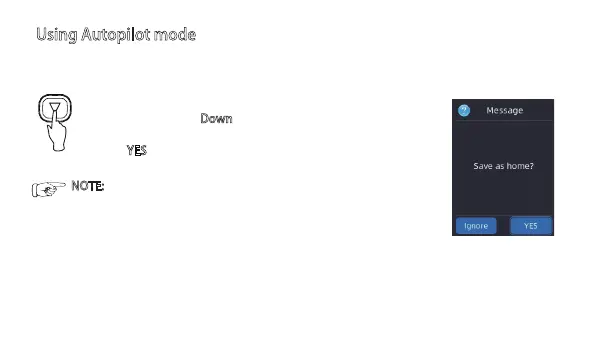
To set HOME point:
1) keep pressing the Do
wn key for 2second. A
message “Save as home?”appears.
2)Click YES
to set current position as HOME point.
Using Autopilot mode
1) Set HOME point
2) Load a prestored waypoint to start the autopilot.
There are 2 ways to select a waypoint to active autopilot mode:
10
NOTE: after system was powered on, XR310 always take the
1st. position (where the GNSS received more than 6 satellites )
as the HOME position.
To avoid misoperation, please reset the HOME point before
you start the autopilot mode.


 To Next Page