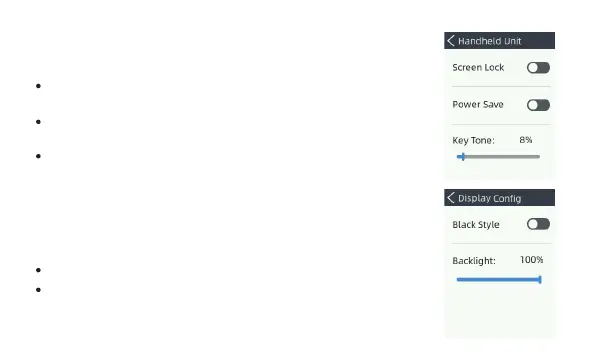
Used to set configiration of handheld unit.
Used to set configuration of display.
Screen Lock: enable to lock the screen while there is no any
operation within 30s.
Power Save: the backlight will be dimming to save power
when there is no any operations in 30 sec.
Key Tone: set the volume of Key Tone.
Black Style: to set the background style of display.
Backlight: adjust the brightness of backlight.
18
Handheld Unit
Display Config


 To Next Page