Activation Procedure
29
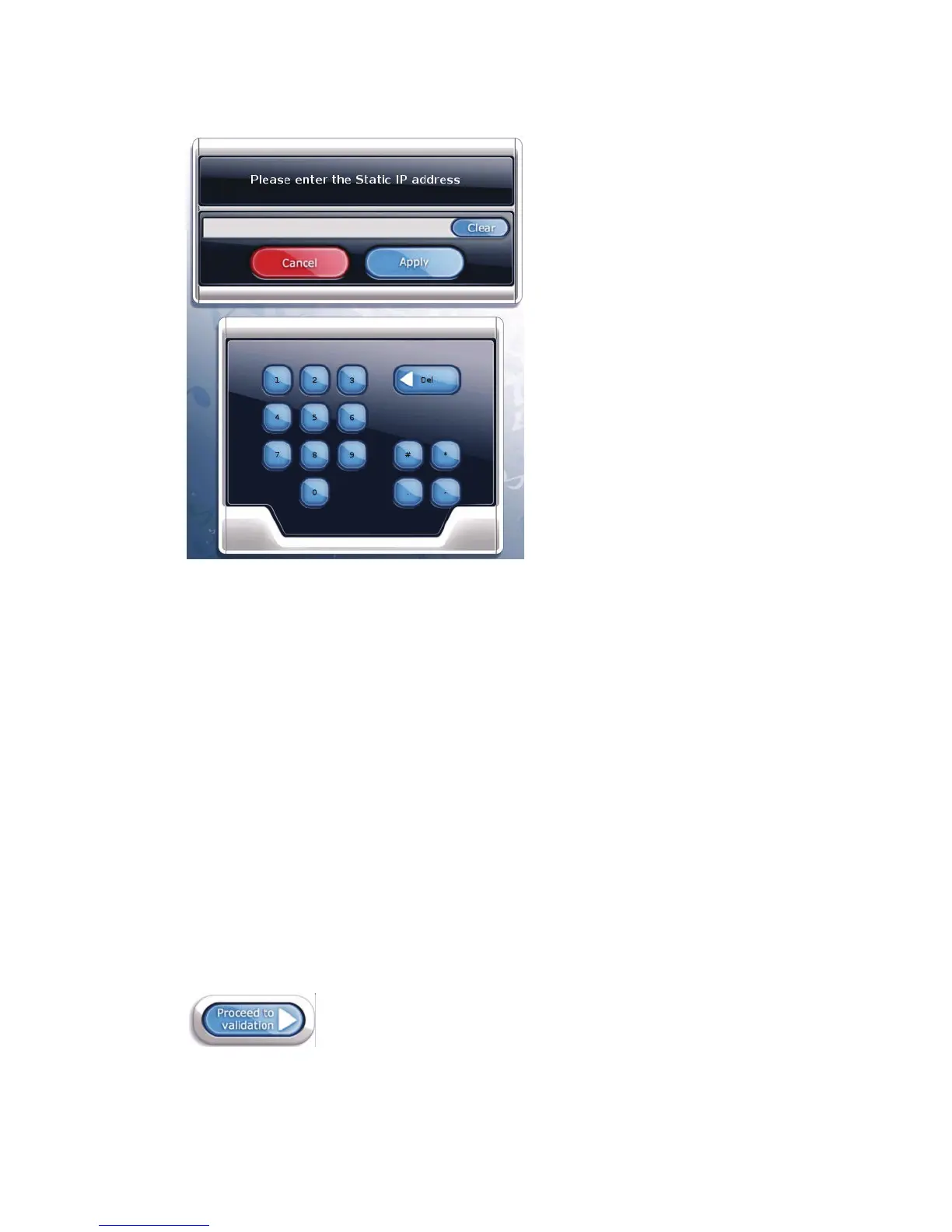
A window with a numeric keypad displays.
Static IP Address Configuration Window
3. Using the keypad, type in the static IP address supplied by the ISP.
Note: The pound (#), asterisk (*), and minus (-) keys are used for entering dial-up information
only, and are not used when entering data for a broadband connection.
• Use the period (.) key to delimit the individual fields of the IP address.
• If you make a mistake, use the Del key to erase the input, and then re-enter the correct
information.
• Use the Clear key to erase the entire contents of the IP address field.
• Use the Cancel key to cancel the operation and return to the Calling Window and
Connection Type screen.
4. When you have finished entering the IP address, press Apply.
5. Enter the Gateway, DNS-1, DNS-2, and Netmask information supplied by the ISP by using
the associated Config buttons and numeric keypad windows.
6. When you have entered information in all the required fields, touch Proceed to validation at
the upper right-hand area of the Calling Window and Connection Type screen to proceed to
the Communications screen.
Proceed to validation



 To Next Page