12
USING YOUR AIR FRYER
NOTE: Cooking time ranges will differ
according to the function or mode
selected.
3. Alternatively, press the On/Off key
again to interrupt and cancel the
cooking cycle. A twenty-second
countdown will begin on the unit’s
LED display to indicate the cooking
process has been ended.
STARTING AND PAUSING THE
COOKING PROCESS:
1. Once the appropriate function,
time and temperature have been
selected, touch the Start/Pause
key on the unit’s control panel
to start the cooking process.
Alternatively, touch the Start/Pause
key without programming the time
or temperature to start a cooking
session on the default settings for
each mode.
2. Touch the Start/Pause key or the
cooking basket selection key while
the unit is in operation to pause the
cooking process, and again while the
unit is paused to resume it.
3. Alternatively, press the On/Off key
again to interrupt and cancel the
cooking cycle. A twenty-second
countdown will begin on the unit’s
LED display to indicate the cooking
process has been ended.
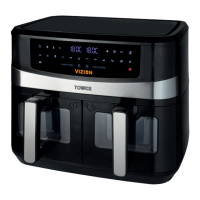
COOKING WITH BOTH
COOKING BASKETS:
This unit offers a choice of two functions
when cooking with both cooking baskets
simultaneously. The ‘Sync function allows
you to cook separate ingredients on each
cooking basket so that they are ready at
the same time, while the ‘Dual’ function
lets you set both cooking baskets of the
air fryer on the same settings, allowing for
larger batch cooking.
COOKING SEPARATE
INGREDIENTS THE ‘SYNC’
FUNCTION:
1. To use either cooking basket
of the air fryer on separate
time and temperature settings,
begin by programming the first
cooking basket, as detailed in
the corresponding section of this
instruction manual.
2. Once the first cooking basket has
been programmed, press the ‘Sync
key on the unit’s control panel. The
digits on the unit’s LED display will
begin to flash.
NOTE: After a pre-set has been
selected, the default cooking time and
temperature settings can be adjusted
manually to suit individual preference.
Refer to the ‘Setting the Temperature’
and ‘Setting the Timer’ sections of this
instruction manual for guidance on how
to select and set the required time and
temperature.
3. Once the ‘Sync’ function has been
activated, press the selection key for
the other cooking basket to move
on to programming it.
4. Repeat the process detailed above
to program the second cooking
basket, then press the Start/Pause
key to begin the cooking process.
The unit will automatically stagger
the two programmed cooking
cycles and delay the start of the
shorter one so that both cycles
finish simultaneously.
COOKING LARGER BATCHES
THE ‘DUAL’ FUNCTION:
1. To select and set the same time and
temperature settings for both cooking
baskets of the air fryer, allowing for
larger batches of ingredients to be
cooked at once, press the ‘Dual Cook’
key on the unit’s control panel. The
cooking basket selection keys and the
digits on the unit’s LED display will
begin to flash.
2. Once the ‘Dual Cook’ function is
selected, choose the desired pre-
set and adjust the required time
and temperature settings for the
ingredients you wish to cook. Refer
to the ‘Pre-set Menus’, ‘Setting the



 To Next Page