11
TURNING THE APPLIANCE ON
OFF:
1. Plug the unit into a mains socket.
The LED display and control panels
will briefly illuminate and the Power
button will light up red to show the
unit has been plugged in.
2. Press the Power button on the unit’s
control panel to turn the unit on.
There will be a sound prompt and the
LED display and control panel will
illuminate to show the unit has been
turned on.
3. Long-press the Power button again
while the unit is turned on to put it
into Standby mode. All the indicators
on the unit’s control panel will go off
and the Power button will turn red.
SELECTING THE COOKING
BASKETS:
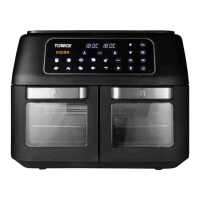
This unit allows you to cook on either
of its two cooking baskets separately,
or use both for simultaneous meal
preparation.
1. To select the cooking basket you
wish to use, press the corresponding
button on the unit’s control panel. The
button will flash, the corresponding
side of the LED display will display
the temperature and time for the
Chicken preset and the Chicken pre-
set indicator and basket number will
begin to flash.
2. To select the other cooking basket at
any time. The second cooking basket
button will illuminate, the opposite
side of the LED display will display
the temperature and time for the
Chicken preset and the Chicken pre-
set indicator and basket number will
begin to flash to indicate the other
cooking basket has been selected.
NOTE: To select the second cooking
basket while a cooking cycle is under way,
first press the Start/Pause button, then
press the second basket selection button,
program it as required, and press the
Start/Pause button again to resume the
cooking cycle.
PRESET MENUS:
The appliance’s cooking temperature can
be set manually, from 80ºC to 200ºC.
1. Once the unit is on and the required
cooking basket or cooking baskets
have been selected, select one of the
unit’s nine pre-set cooking menus
to start a cooking section. To do this,
press the Menu button on the unit’s
control panel. The corresponding
indicator will begin to flash and the
default temperature setting for that
mode will flash on the unit’s LED
screen to show which Pre-set has
been selected.
2. Press the Menu key on the unit’s
control panel again to switch over to
a different preset. The corresponding
indicator will flash and the default
temperature setting for that mode
will flash on the unit’s LED screen to
show a different pre-set has been
selected.
NOTE: It is not possible to change pre-
sets midway through a cooking cycle.
To change modes when a cooking cycle
is under way, that cycle must first be
paused, cancelled or ended before the
new pre-set can be selected.
NOTE: A pre-set MUST be selected before
a cooking session can be started or any
time and temperature settings can be
adjusted.
NOTE: The default pre-set for this unit is
Chicken.
NOTE: The pre-set times and
temperatures for each program should be
adjusted if necessary to ensure the food
is fully cooked. Adjustments can also be
made during the cooking process. Refer to
the ‘Setting the Temperature’ and ‘Setting
the Timer’ sections of this instruction
manual for guidance on how to manually
adjust each setting.
USING YOUR AIR FRYER



 To Next Page