7
SETTING UP
1. Remove your appliance from the
packaging.
2. Check that there is no visible damage to
the body.
3. Check that all listed parts are present.
4. Remove any stickers or labels from
the appliance. DO NOT remove any
warnings.
5. Dispose of the packaging in a
responsible manner.
6. Charge the rechargeable battery.
CHARGING THE UNIT
1. This unit can be charged directly from
the mains using the included mains
adaptor.
2. Connect the adaptor’s jack to the unit’s
charging port and plug the other end
into an active mains socket, ensuring
the socket switch is turned to the ON
position.
3. During charging the 3 LED indicators
illuminate incrementally. The unit is
fully charged when all the lights are
illuminated.
4. To disconnect the battery from the unit,
press the battery release switch and
slide the battery up and away from the
unit.
5. To replace the battery, slide it back in to
place until there is an audible click.
TURNING THE APPLIANCE
ON/OFF AND SPEED SELECTION
1. Once the appliance is fully charged,
press the On/Off/Speed Selection
button located on the handle to turn the
unit on. The unit will operate at the low
speed setting.
2. Press the ON/OFF/Speed Selection
button again while the unit is in
operation to select the turbo speed
setting.
3. Press the ON/OFF/Speed Selection
button again while operating at the
turbo speed setting to turn the unit off.
USING THE EXTENSION POLE
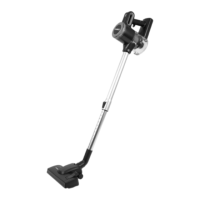
1. To connect the pole to the vacuum
cleaner, push it into the corresponding
slot on the main body of the unit until it
locks into place.
2. To remove the extension pole and use
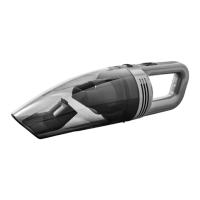
the vacuum cleaner as a handheld
cleaner, press the extension pole release
button on the main body of the unit and
pull the pole away.
CONNECTING AN ACCESSORY TO
THE EXTENSION POLE
Attach the accessory to the end of the
extension pole. Ensure the accessory clicks
in to place and is rmly connected before
turning on the appliance, to prevent it from
falling off whilst in use.
CONNECTING AN ACCESSORY TO
THE HANDHELD UNIT
Attach the accessory to the slot at the front
of the main body of the unit until it clicks
into place.
REMOVING ACCESSORIES
To remove an accessory, press the release
button on the accessory tool and pull it
away from the extension pole or main unit.
BEFORE FIRST USE



 To Next Page