EasyManua.ls Logo

Toyota PK6A3-33HT1 - User Manual

Toyota PK6A3-33HT1
24 pages
Print Icon
To Next Page IconTo Next Page
Loading...
TOYOTA 4RUNNER 2020 – DASH CAMERA
PREPARATION
Page 1 of 24
Issue D: 11/06/19
Part #: PK6A3-33HT1 and PK6A4-33HW1
Conicts:
KitContents
AdditionalItems
(may be required)
Item# Description
RecommendedSequence
ofApplication
Item# Description
RecommendedTools
Personal&VehicleProtection Description
Vehicle Protection Blankets, Part Boxes
SpecialTools
Dash Camera Mounting Template
IADS# 4RU20-0011
InstallationTools
Screwdriver #2 Phillips, Flat Blade Jeweler’s
Panel Removal Tool Toyota SST# 00002-06001-01
Side Cutters
Torque Wrench
Battery: 48 in•lbf (5.4 N•m),
Ground Bolt: 75 in•lbf (8.5 N•m)
Knee Airbag: 88.5 in•lbf (10 N•m)
Pliers Needle-nose, Universal
Scissors
Tape Measure / Ruler
Ratchet
Tape Electrical, Masking
Socket 10mm, Extension
SpecialChemicals
Cleaner VDC Approved Cleaner
Glass Cleaner Toyota Touch Glass Cleaner
Service Part #’s
PK6A4-33HT1
Dash Camera
Wire Harness
Wire Channel
Vinyl sheet
Wire Tie
Foam Tape
PK6A4-33HS0
PK6A4-33HC0
x1 x1
x1
x18
x1
x2
x2 x1
x1
PK6A4-33HM1
x1
MicroSD Card
with Adapter
Owner’s Manual
Harness Clip
Dash Camera
Side Cover
WireHarnessKit:PK6A4-33HW1
DashCameraKit:PK6A3-33HT1
Not used - Discard
X
Question and Answer IconNeed help?

Do you have a question about the Toyota PK6A3-33HT1 and is the answer not in the manual?

Summary

Preparation and Overview

Kit Contents

Lists the components included in the Dash Camera and Wire Harness kits.

Precautions for Installation

Highlights critical safety and operational warnings during installation.

Accessory Installation Practice

Outlines general guidelines for quality accessory installation.

Wire Harness Outline

Provides a visual overview of the wire harness routing and connections.

Installation Procedure

Vehicle Disassembly

Details the steps for disassembling vehicle interior components.

Dash Camera Installation

Covers the mounting and initial setup of the dash camera unit.

Wire Harness Installation

Explains how to route and connect the wire harness components.

Vehicle Reassembly

Guides on reassembling vehicle components after installation.

Post-Installation Checks

Accessory Function Checks

Verifies that all installed accessory functions operate correctly.

Vehicle Appearance Check

Inspects the vehicle for any damage after installation.

Vehicle Function Checks

Confirms all vehicle systems are functioning as expected post-installation.

Summary

Preparation and Overview

Kit Contents

Lists the components included in the Dash Camera and Wire Harness kits.

Precautions for Installation

Highlights critical safety and operational warnings during installation.

Accessory Installation Practice

Outlines general guidelines for quality accessory installation.

Wire Harness Outline

Provides a visual overview of the wire harness routing and connections.

Installation Procedure

Vehicle Disassembly

Details the steps for disassembling vehicle interior components.

Dash Camera Installation

Covers the mounting and initial setup of the dash camera unit.

Wire Harness Installation

Explains how to route and connect the wire harness components.

Vehicle Reassembly

Guides on reassembling vehicle components after installation.

Post-Installation Checks

Accessory Function Checks

Verifies that all installed accessory functions operate correctly.

Vehicle Appearance Check

Inspects the vehicle for any damage after installation.

Vehicle Function Checks

Confirms all vehicle systems are functioning as expected post-installation.

Overview

This document outlines the installation and reassembly procedures for a Toyota 4Runner Dash Camera, identified by part numbers PK6A3-33HT1 and PK6A4-33HW1. It also includes a comprehensive checklist for accessory function and vehicle appearance/function checks to ensure a quality installation.

Function Description:

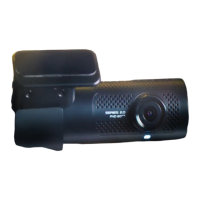
The Toyota 4Runner Dash Camera is an accessory designed to record events from the vehicle's perspective. It integrates with the vehicle's electrical system and is mounted on the windshield, typically near the rearview mirror. The camera captures footage, which is stored on a microSD card. The installation process involves disassembling various interior panels, routing wiring, connecting to the vehicle's electrical harness, and then reassembling the panels. The system is designed for seamless operation once installed, providing continuous recording capabilities.

Usage Features:

  • Recording: The primary function is to record video footage while the vehicle is in operation. This can be valuable for documenting incidents, providing evidence in case of accidents, or simply capturing scenic drives.
  • MicroSD Card Storage: Footage is stored on a microSD card, which is located within the dash camera unit. The manual emphasizes the importance of not removing the microSD card from its protective container until instructed, and it is ultimately placed in the glove box with the owner's manual.
  • Microphone Switch: The camera includes a microphone switch, located on the LH side, which should be in the "Off" position during initial setup. This suggests the ability to control audio recording.
  • Wi-Fi Password: The dash camera has a default Wi-Fi password, which is found on a label on the bottom corner of the kit box. This implies that the camera can connect to a Wi-Fi network, likely for accessing footage or configuring settings via a smartphone app. The password is noted to be in all capital letters.
  • Action Button: A periodic beep may be heard from the dashcam if the vehicle is powered on without an SD card. This beep can be silenced by pressing the "Action" button, indicating a user interface for basic controls.
  • Integrated Design: The camera is designed to integrate cleanly with the vehicle's interior, with wiring routed behind panels and along existing harnesses to maintain an uncluttered appearance.
  • Safety Considerations: The manual highlights several safety precautions, such as disconnecting the negative battery terminal before installation, avoiding contact with the positive terminal, and carefully handling the airbag assembly to prevent stress on its harness. These measures ensure both installer safety and the integrity of vehicle components.

Maintenance Features:

  • Cleaning: The installation process includes a step to use Glass Cleaner to clean the inside windshield at the mounting location, suggesting that maintaining a clean lens area is important for optimal recording quality.
  • Adhesive Bond Strength: For mounting the dash camera, the manual specifies that the attachment surface temperature must be at 60°F or higher to achieve maximum bond strength of the adhesive. This indicates a consideration for long-term secure mounting.
  • Wiring Management: The detailed instructions for routing and securing wires with clips and wire ties, and wrapping connections with vinyl sheets and foam tape, contribute to the longevity and reliability of the electrical connections, minimizing potential wear and tear or interference.
  • Torque Specifications: Specific torque values are provided for bolts, such as the ground bolt and knee airbag bolts. Adhering to these specifications is crucial for the secure and safe reassembly of vehicle components, which in turn contributes to the overall maintenance and structural integrity.
  • Component Protection: The use of protective tape around various panels during removal and reinstallation helps prevent scratches and damage, ensuring the vehicle's interior remains in pristine condition.
  • Checklists: The "Accessory Function Checks" and "Vehicle Appearance/Function Checks" sections are critical for post-installation maintenance. They ensure that all vehicle functions operate correctly and that no damage occurred during the installation process. This systematic verification helps identify and address any issues promptly, preventing future problems.
  • Troubleshooting (Implicit): The instruction to confirm the microphone switch position and to silence the SD card beep with the "Action" button provides basic troubleshooting guidance for common operational aspects.
  • Documentation: The provision of a serial number/Wi-Fi password location and instructions to tape it to the owner's manual ensures that critical information for future maintenance or configuration is readily available.
  • Approved Cleaners: The "Recommended Tools" section lists "VDC Approved Cleaner" and "Toyota Touch Glass Cleaner," indicating that specific cleaning products are recommended for maintaining the device and surrounding vehicle areas, which can prevent damage from incompatible chemicals.

Toyota PK6A3-33HT1 Specifications

General IconGeneral
Night VisionYes
GPSYes
G-SensorYes
Loop RecordingYes
ResolutionFull HD (1920x1080)
StorageMicroSD card
Power Supply12V

Related product manuals