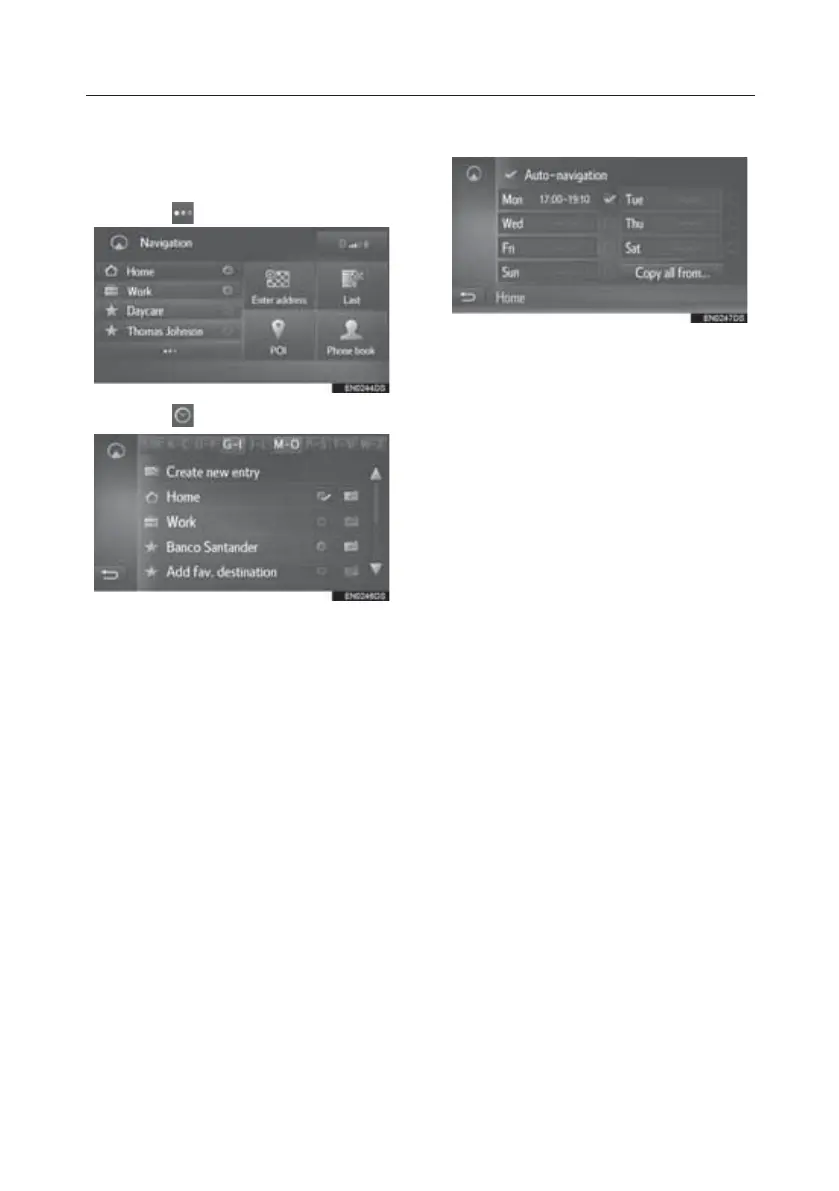
Registering day/time slots
To use automatic navigation, it is
necessary to register day/time slots for
the destinations.
1. Select
.
2. Select
of the desired destination.
3. Enter the desired day and time
information for the commutes.
• Select “Auto-navigation” to set the
automatic navigation on/off.
• Select “Copy all from...” to copy a
defined time slot from one day to all
other days.
TOUCH-SCREEN MULTIMEDIA
24








 To Next Page