Archer T2U AC600 Wireless Dual Band USB Adapter User Guide
19
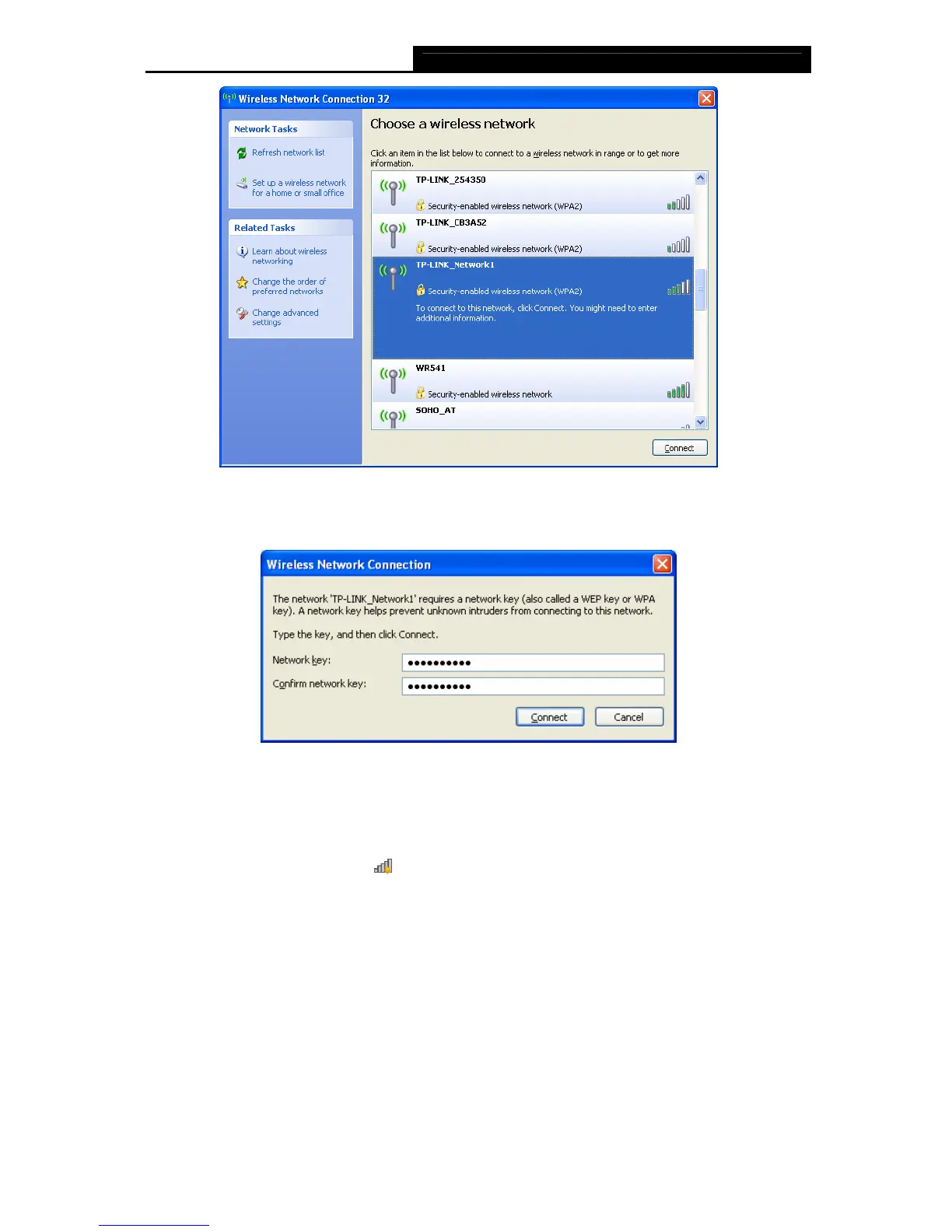
Figure 3-22
4. If the network is security-enabled, you will be prompted to enter the key as shown below. If
not, you will connect to the network directly without entering a key.
Figure 3-23
3.3.2 In Windows 7
Windows 7 users may use the built-in wireless utility. Follow the steps below.
1. Left-click the wireless icon
in your system tray (lower-right corner). The utility will
display any available wireless networks in your area. Highlight the wireless network
(displayed using the SSID) to be connected and then click Connect.












 To Next Page