Archer T2U AC600 Wireless Dual Band USB Adapter User Guide
24
Chapter 4 Management
This section will show you how to configure your Archer T2U adapter using the TP-LINK
Wireless Configuration Utility (TWCU).
The Archer T2U adapter uses the TP-LINK Wireless Configuration Utility as the management
software. The utility provides users with an easy interface to change any settings related to the
adapter. Double-clicking on the
icon on your desktop will start the utility.
4.1 Profile
Your wireless networks may vary in different places like home, office or coffee shop. With
Profile management, you can easily save and manage various networks to be connected,
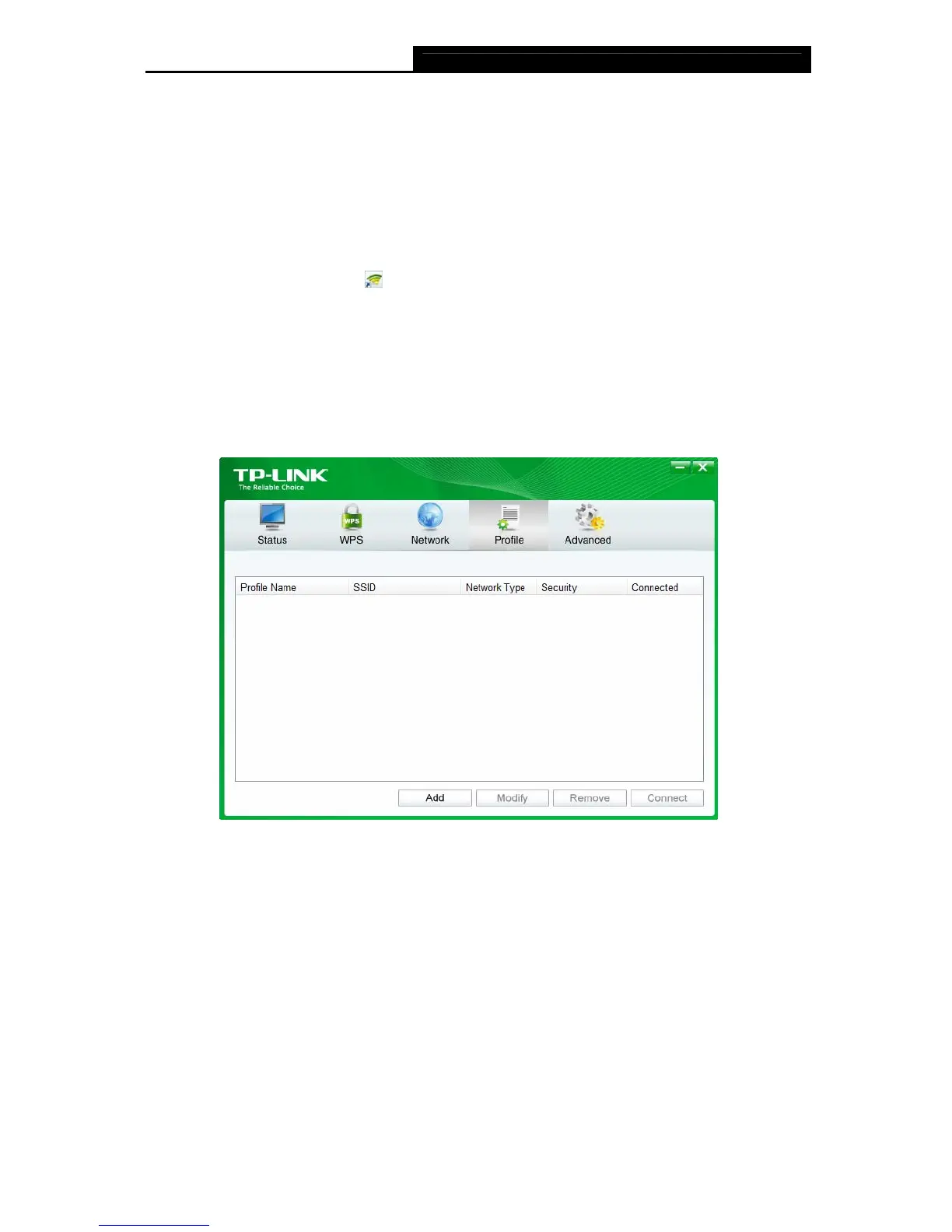
saving you the trouble of having to repeat the same configurations. Click Profile in the tools
section, the following page will appear.
Figure 4-1
4.1.1 Add a profile
To add a profile, click the Add button on the bottom of the screen. Then the configuration
window will appear.
4.1.1.1. Add a profile in Infrastructure mode
If you are connecting to a wireless router or access point, select Infrastructure as the Network
Type in the screen that appears and follow the instructions below to finish the setting.












 To Next Page