Archer T2U AC600 Wireless Dual Band USB Adapter User Guide
35
Chapter 6 Uninstall Software
6.1 In Windows XP/7
The software uninstall steps are similar in Windows XP, and Windows 7, here we just use
Windows 7 as an example.
6.1.1 Uninstall the utility software from your PC
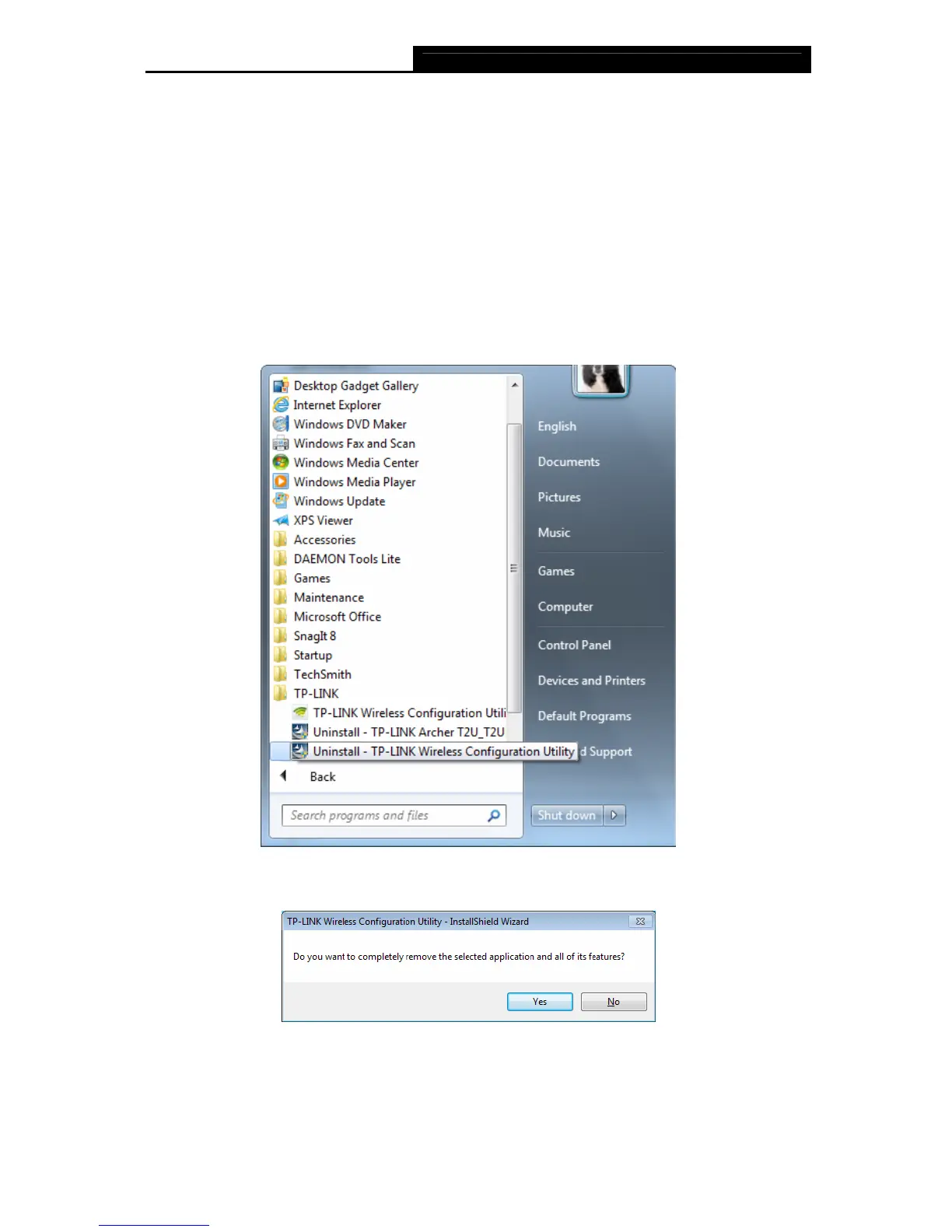
1. On the Windows taskbar, click the Start button, click All programsTP-LINK, and then
click Uninstall-TP-LINK Wireless Configuration Utility.
Figure 6-1 Uninstall Utility
2. Click Yes to start uninstalling the utility software from your PC.
Figure 6-2












 To Next Page