Archer T2U AC600 Wireless Dual Band USB Adapter User Guide
37
6.1.2 Uninstall the driver software from your PC
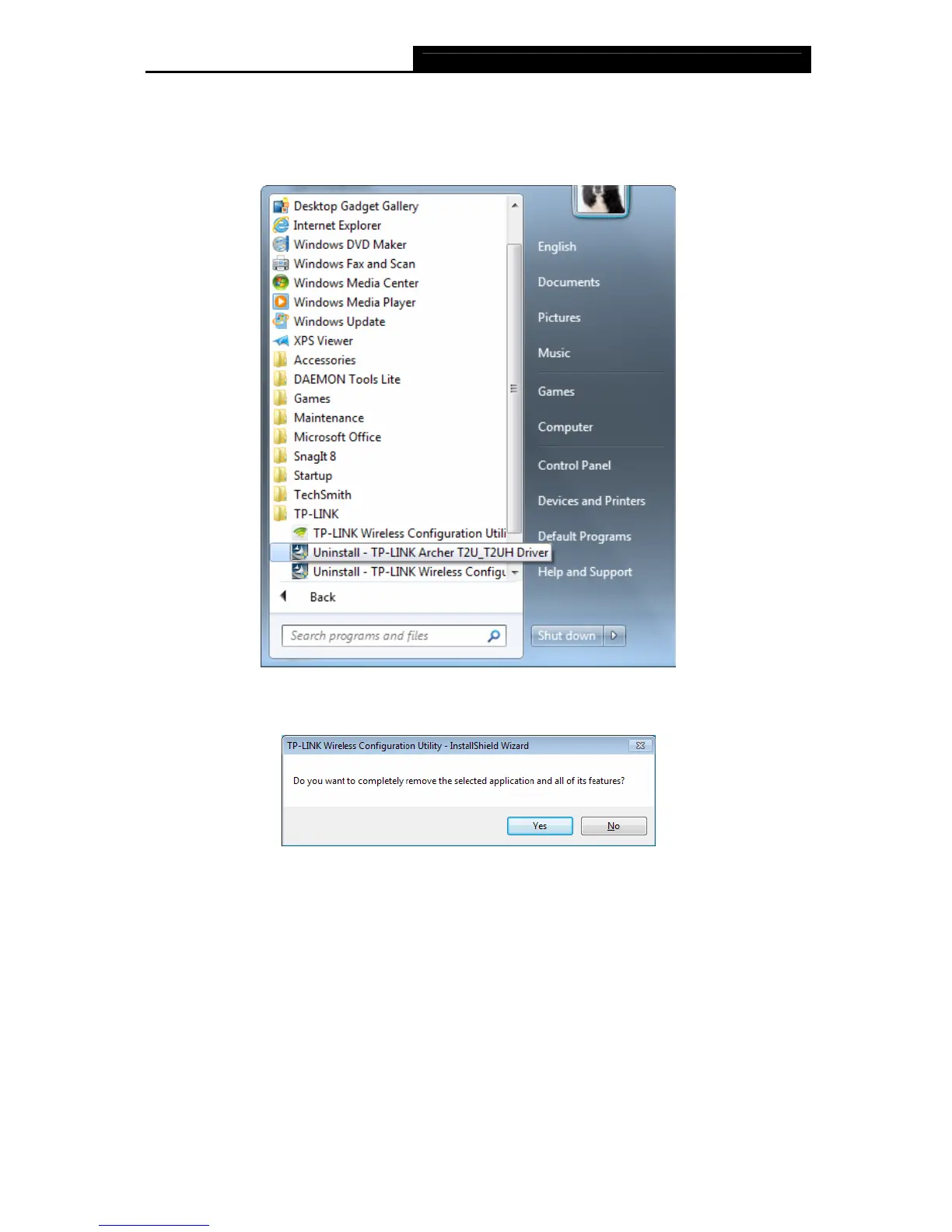
1. On the Windows taskbar, click the Start button, click All programsTP-LINK, and then
click Uninstall-TP-LINK Archer T2U_T2UH Driver.
Figure 6-5 Uninstall Driver
2. Click Yes to start uninstalling the driver software from your PC.
Figure 6-6












 To Next Page