Archer T2U AC600 Wireless Dual Band USB Adapter User Guide
39
6.2 In Windows 8
6.2.1 Uninstall the utility software from your PC
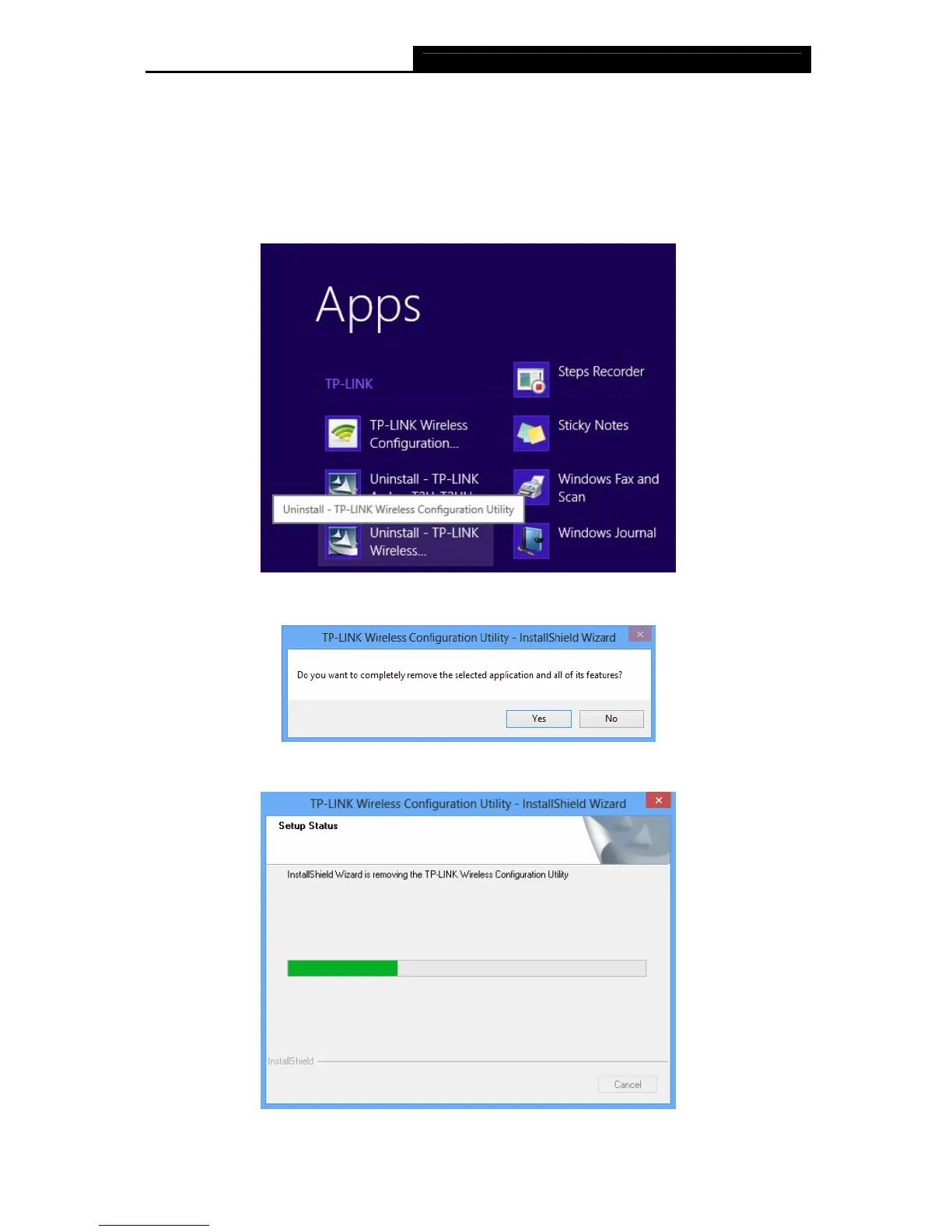
1. Enter the Apps interface, and find the TP-LINK application, then click Uninstall- TP-LINK
Wireless Configuration Utility.
Figure 6-9
2. Click Yes to start uninstalling the utility software from your PC.
Figure 6-10
3. It may take a few minutes to undergo the whole un-installation process.
Figure 6-11












 To Next Page