Archer T2U AC600 Wireless Dual Band USB Adapter User Guide
22
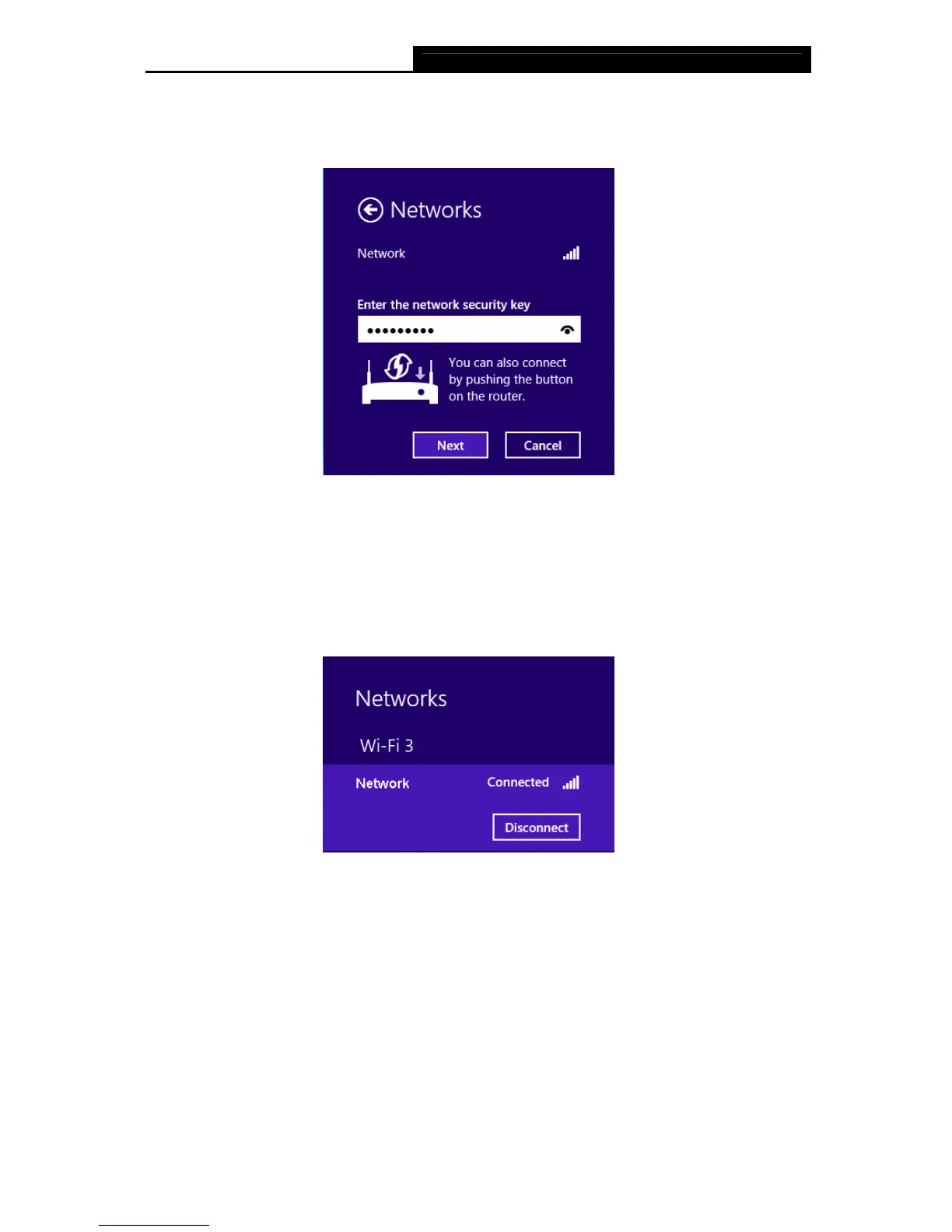
2. If the network is unencrypted, you will directly connect to it.
If the network is encrypted, enter the password (network security key) and then click Next
to continue.
Figure 3-28
Note:
You can also push the WPS/QSS button on your router as hinted “You can also connect by
pushing the button on the router”. Then click Next to continue.
3. When Connected appears behind the SSID (as shown below), you have successfully
connected to the target network.
Figure 3-29












 To Next Page