2
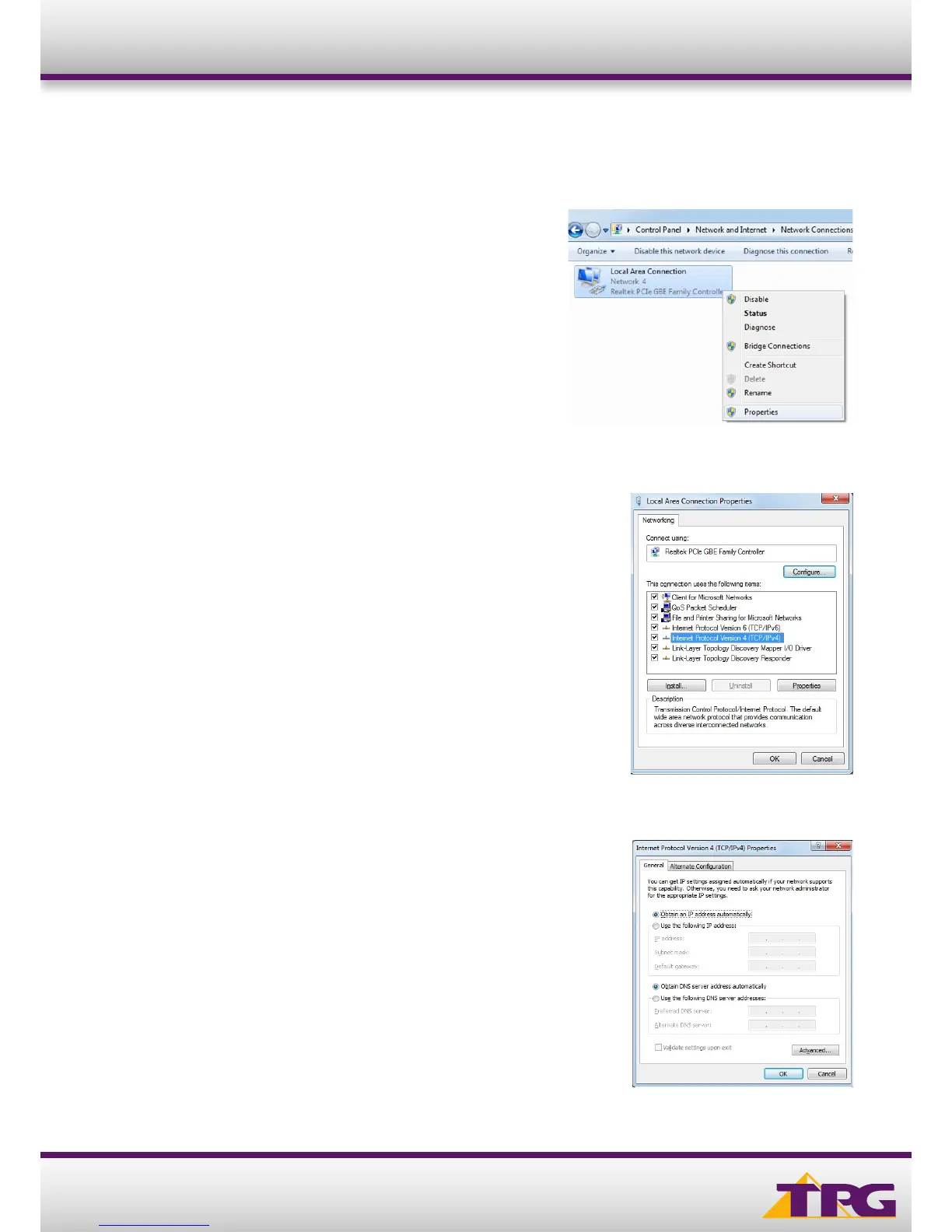
To ensure your Network Card is ready for this, please follow the
following steps:
A. Click Start -> Control Panel -> Network and Internet ->
Network and Sharing Center -> Change adapter settings
B. Right click on Local Area Connection and select Properties
Configuration Guide TP-LINK C1200
C. Click on Internet Protocol Version 4 (TCP/IPv4), and then click
Properties
D. Ensure “Obtain an IP address automatically” is selected
E. Ensure “Obtain DNS server address automatically” is selected
F. Click OK












 To Next Page