14
Antenna Alignment
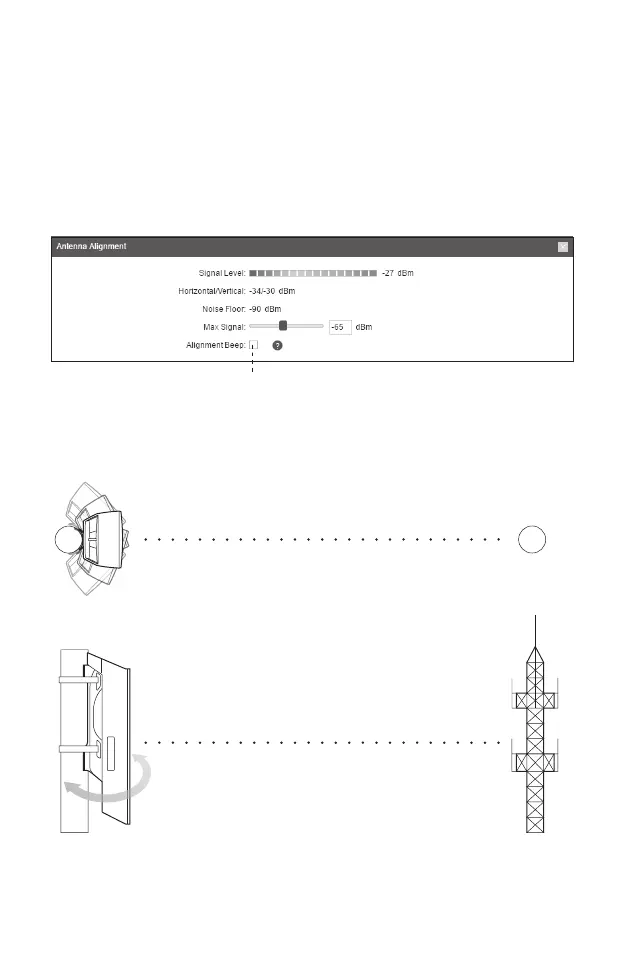
Antenna alignment can help you to optimize the antenna signal. To get the
best wireless performance, click Antenna Alignment from the drop-down
list on the upper-right corner and enable Alignment Beep during align-
ment. Then adjust your antenna until the sound frequency turns to the
lowest.
Check the box to enable the beep sound. Its frequency
can help you to estimate the signal strength received by
the antenna. The lower the sound frequency, the stronger
the signal strength.
WISP
WISP






 To Next Page