19
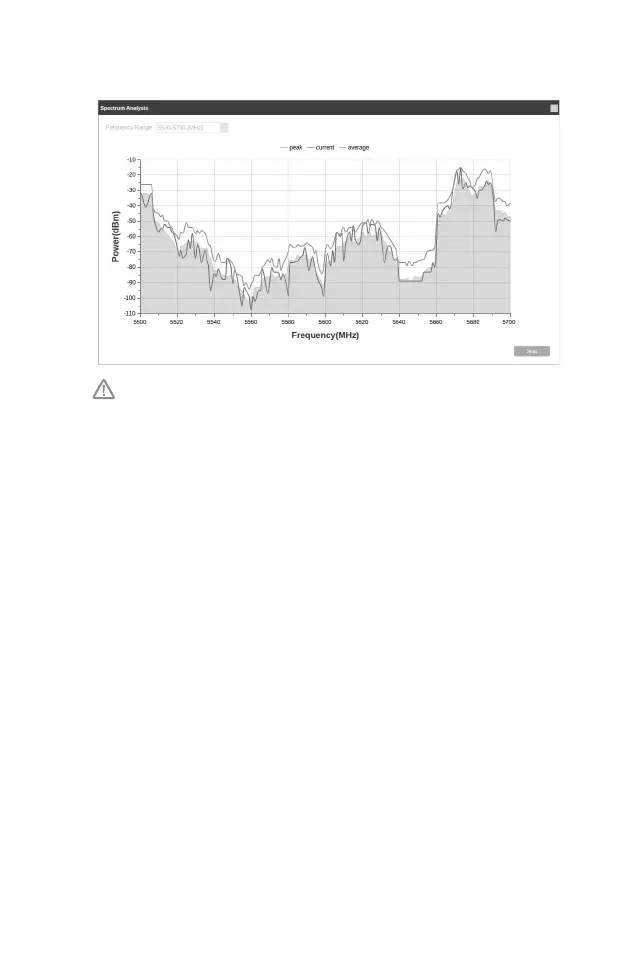
indicates less radio noise. Here, we use the figure below as an
example.
The select box of Frequency Range at the top-left corner is only
available for CPE510. Select the desired range and then click Start.
When choosing channel/frequency, you should avoid the spectrum
with large radio noise. In this example, the recommended channel/
frequency is 112/5560 MHz.
Note: To ask questions, nd answers, and communicate with TP-Link users
or engineers, please visit https://community.tp-link.com to join TP-Link
Community.






 To Previous Page