6www.tp-link.com
User’s manual Smart Wi-Fi Light Switch
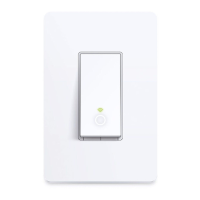
Blinking Amber and Green: App-
Cong mode initiated.
Green: Successfully connected to
the Wi-Fi network.
Blinking Amber: Resetting or during
rmware update.
Red: No Wi-Fi connection.
White: Lit up when the light is
switched OFF to show the Smart
Switch location in the dark.
Press to reboot the Smart Switch.
Press and hold (about 5 seconds)
until the Wi-Fi status LED blinks
amber and green alternately to
initiate App-Cong mode.
Press and hold (about 10 seconds)
until the Wi-Fi status LED blinks
green rapidly to factory reset the
Smart Switch.
RESET
RESTART











 To Next Page

