22
Reports
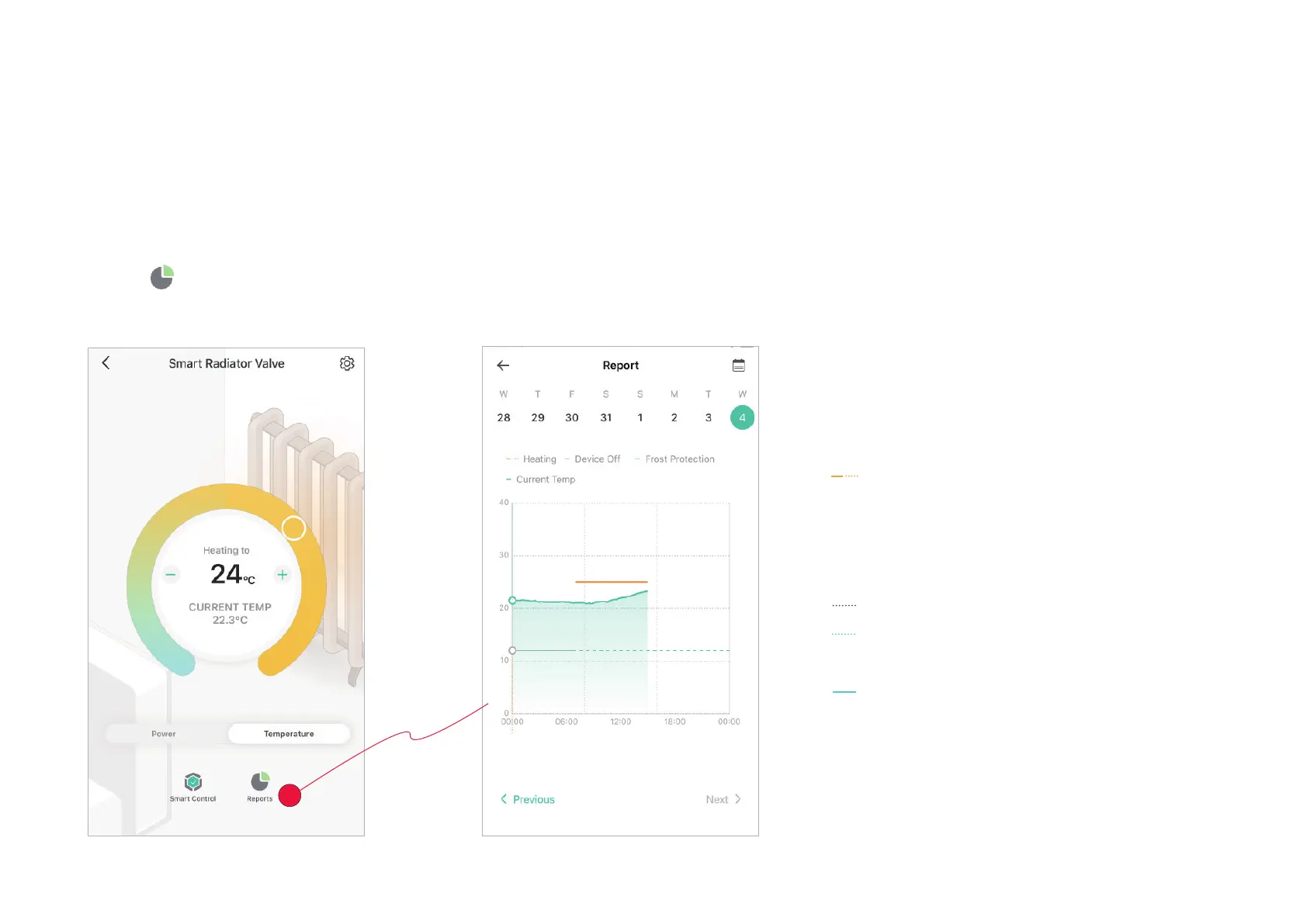
In the Report page, you can check your heating and temperature history and device runtime.
1. Tap
In the Device page, you can see the statistic of the day.
Heating: Your set heating temperature
• Solid Line: the set heating temperature is higher
than room temperature.
• Dotted Line: the set heating temperature is lower
than room temperature.
Device O: When your device is o
Frost Protection: The frost protection
temperature.
Current Temp: The current room
temperature


 To Next Page