5
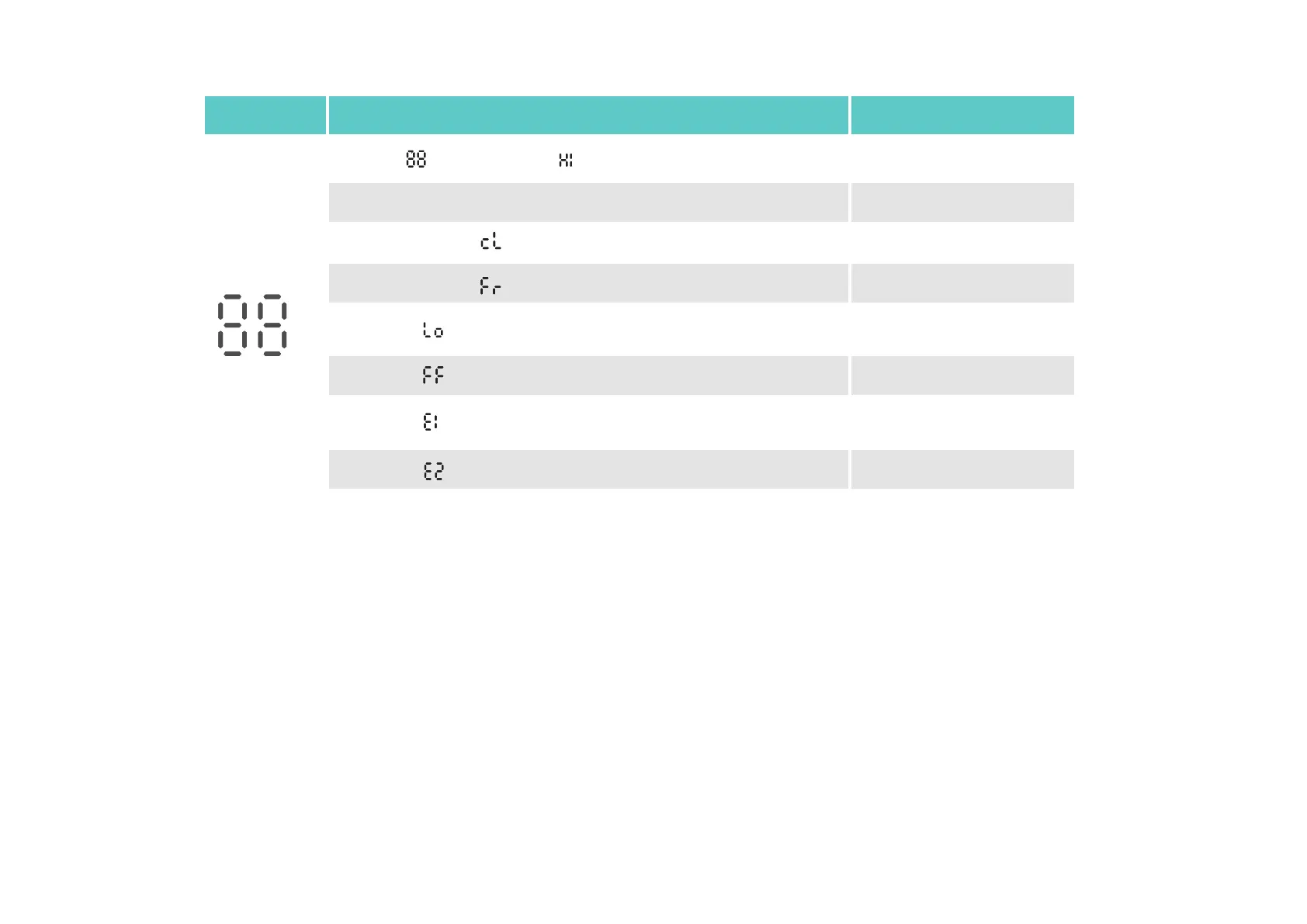
LED
Temperature
Event
Valve blocked by calcification
*You can rotate the LED display 180° in the Kasa Smart app.
Starting up
Calibrating
Frost protection
Low battery:
Valve can’t work properly
Sleep mode
Child lock enabled
No valve detected or valve
not compatible
LED Status
Displaying
Displaying
Moving light, then displaying normal temperature
Blinking twice, then blinking , finally displaying normal temperature
Switching between and the normal temperature
Switching between and the normal temperature
Displaying
Displaying


 To Next Page