3. Enter a password for your new account. The password should contain 5~20 characters.
4. Enter the password again to confirm it.
5. Click Save to save and enable the settings.
Change Password
You can change the password of all the accounts here.
Note:
The default account and password are both admin. Everyone who knows the camera’s IP address
can access the device with all configuration authority. It is necessary to change the default
password if the device is intended to be accessed only by administrator.
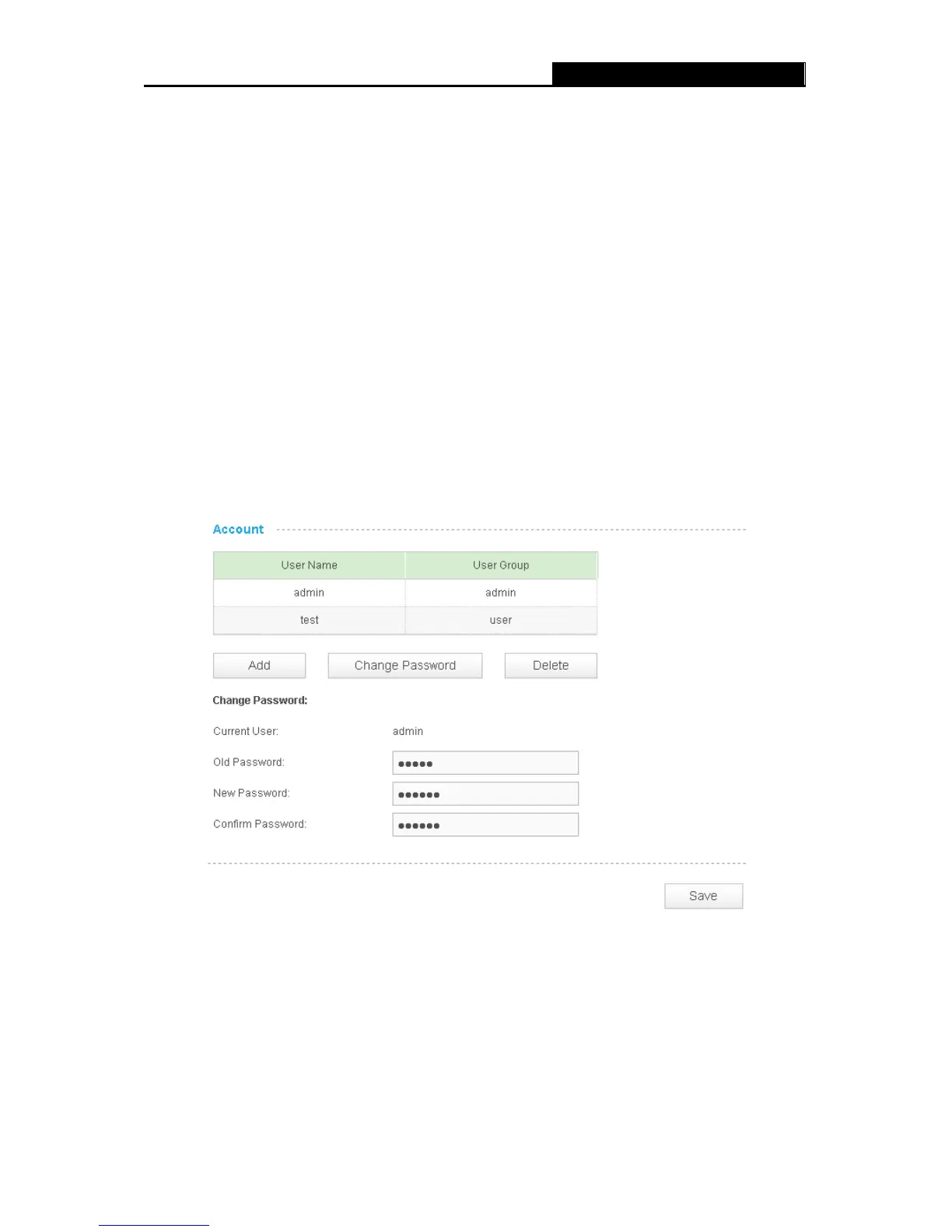
To change password, follow the steps below:
1. Select one user account in the list whose password you want to change
2. Click Change Password, and you will see the following screen.
3. Enter the current password in the Old Password textbox.
4. Enter a new password.
5. Enter the new password again to confirm it.
6. Click Save to save and enable the settings.
Delete a User Account
35


 To Next Page