Omada Smart Switch
02Introduction
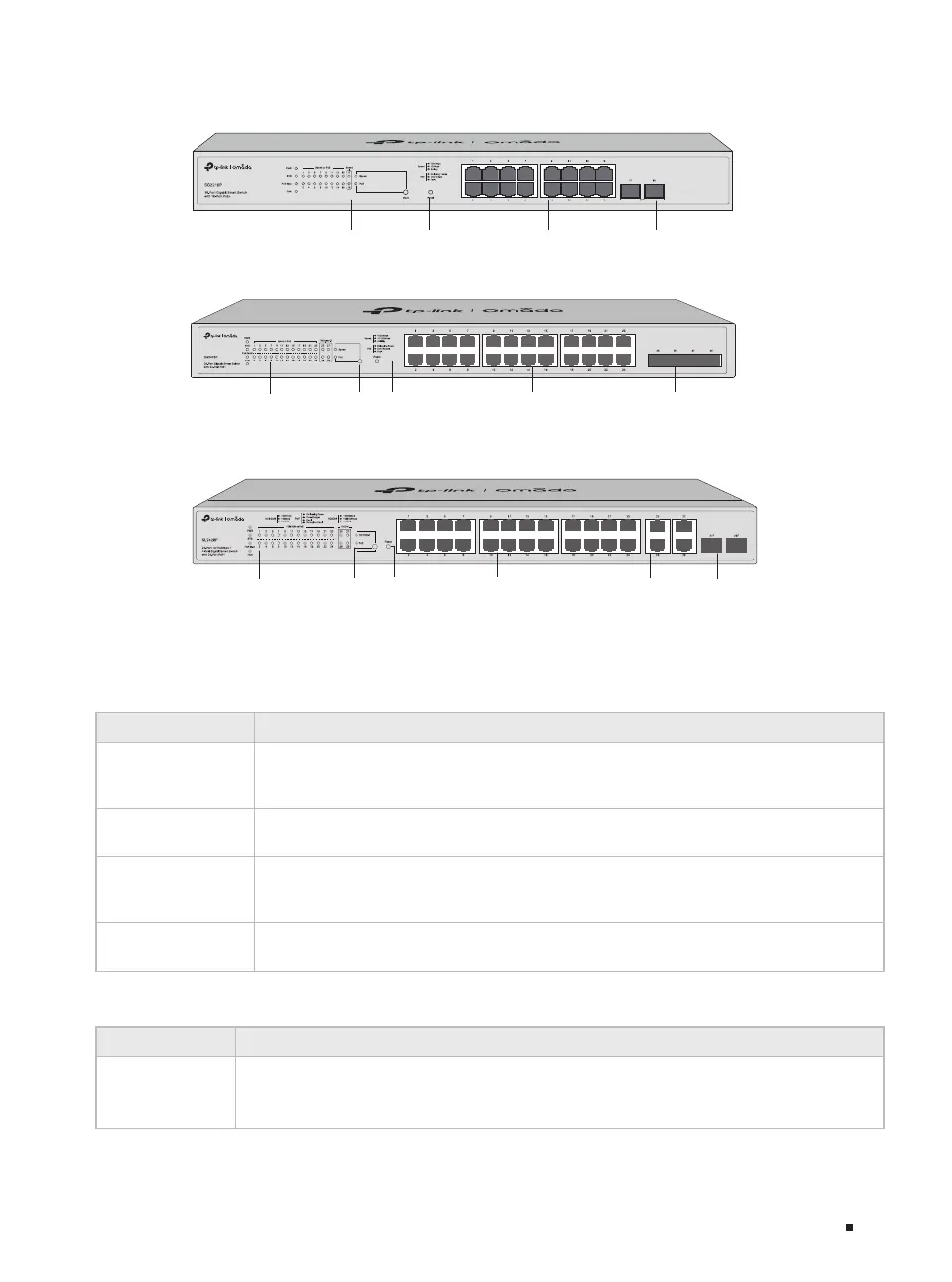
The front panel of SG2218P is shown as the following figure.
Figure 1-3 Front Panel of SG2218P
LEDs
Reset 10/100/1000 Mbps RJ45 Port SFP Slot
The front panel of SG2428P is shown as the following figure.
Figure 1-4 Front Panel of SG2428P
LEDs Reset 10/100/1000 Mbps
RJ45 Port
SFP SlotLED Mode
Switch Button
The front panel of SL2428P is shown as the following figure.
Figure 1-5 Front Panel of SL2428P
LEDs
For SG2218
LED Indication
PWR
On: The switch is powered on.
Off: The switch is powered off or power supply is abnormal.
Flashing: Power supply is abnormal.
SYS
Flashing: The switch works properly.
On or Off: The switch works improperly.
Link/Act
On: A device is connected to the corresponding port but no activity.
Flashing: Data is being transmitted or received.
Off: No device is connected to the corresponding port.
1000Mbps
On: Running at 1000 Mbps.
Off: Running at 10/100 Mbps or no device is linked to the corresponding port.
For SG2210MP/SG2218P/SG2428P/SL2428P
LED Indication
PWR
On: The switch is powered on.
Off: The switch is powered off or power supply is abnormal.
Flashing: Power supply is abnormal.
LEDs
LED Mode
Switch Button
Reset
10/100 Mbps RJ45
Port and PoE Port
10/100/1000
Mbps RJ45 Port
SFP Slot











 To Next Page