11
Install a microSD Card
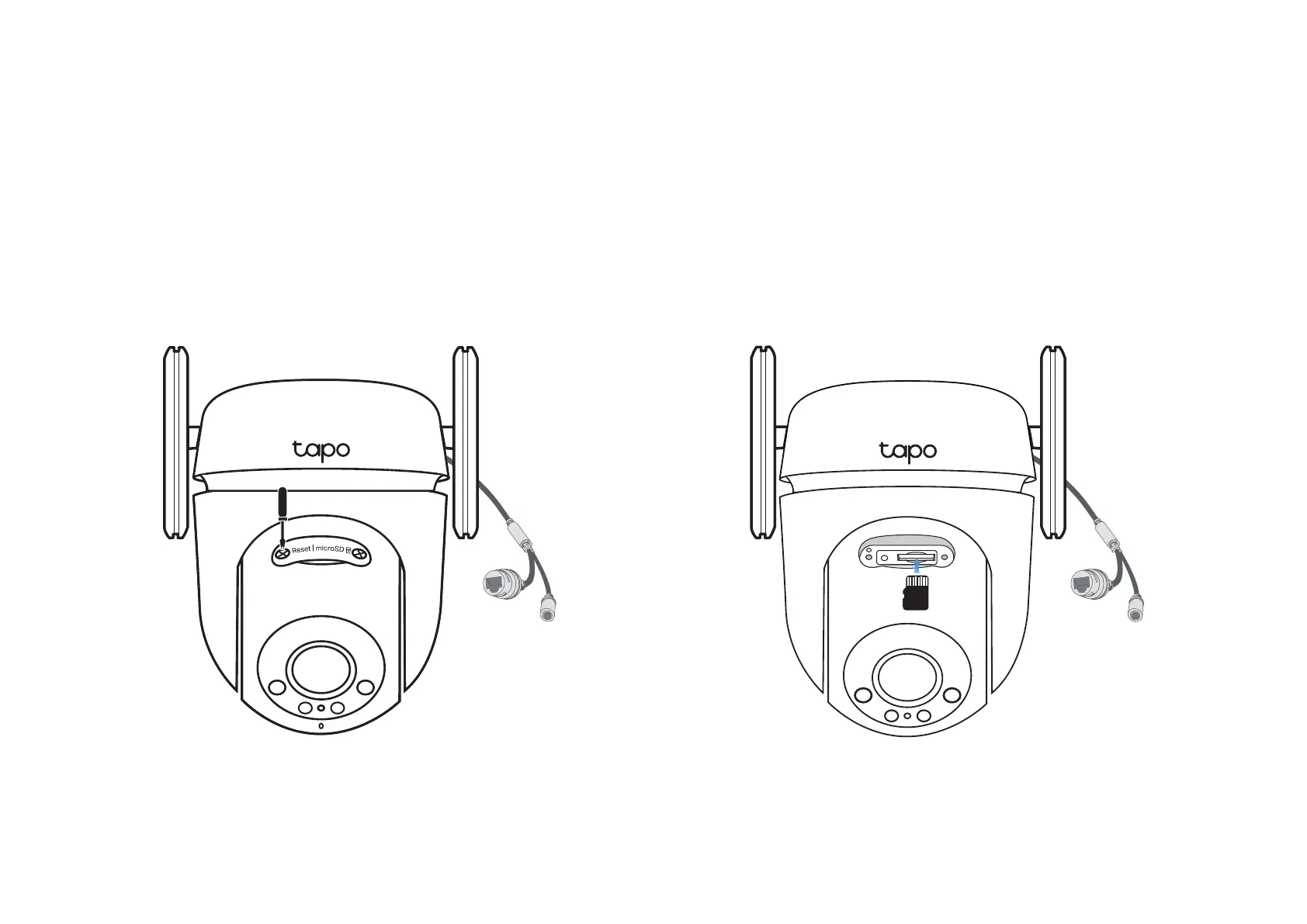
Follow the steps below to install the microSD card for local recording.
You can go to Camera Settings > microSD Card in the Tapo app to check the card status or format your card.
1. Manually rotate the camera downwards. Loosen the screws on the
panel and remove the cover.
2. Identify the direction of the microSD card and carefully insert the card
into the slot. Push in the card until you hear a clicking sound.
microSD











 To Next Page