3
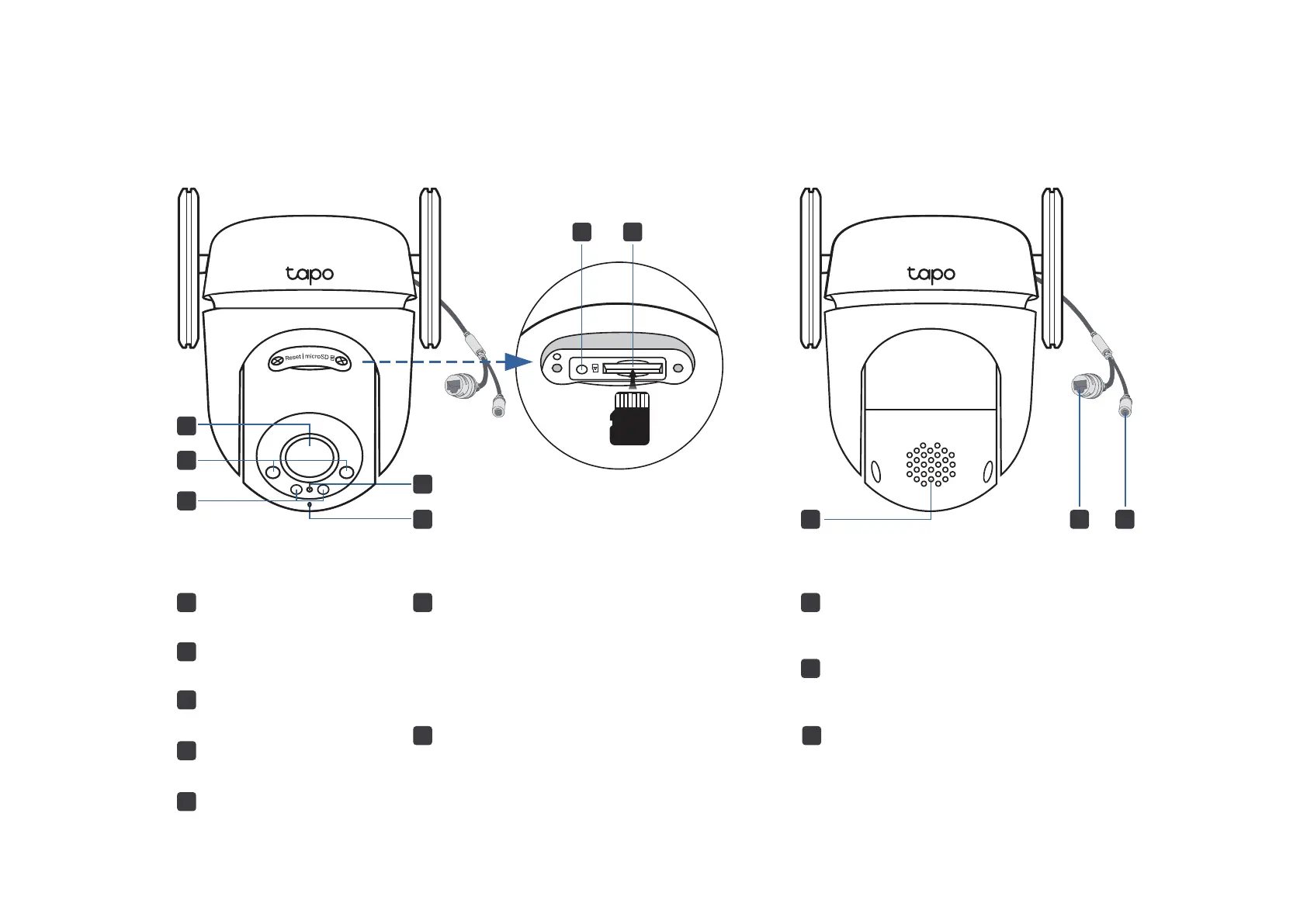
Appearance
6
Reset
Loosen the screws. While the camera is
powered on, use a pin to press and hold the
Reset button for at least 5 seconds until the
System LED blinks red. The camera will
reset and reboot.
7
6
microSD
3
2
1
9
10
4
5
7
microSD Card Slot
Loosen the screws and insert a microSD
card*. Initialize it on the Tapo app for local
recording.
*
microSD card not included
8
5
Microphone
2
3
Lens
4
System LED
IR LEDs
1
White Light LEDs
9
Speaker
8
Ethernet Port
Used to connect to a network device
10
DC Power Connector
Used to connect to a 9V DC power adapter





 To Next Page