TF-3200 10/100Mbps PCI Network Adapter
17
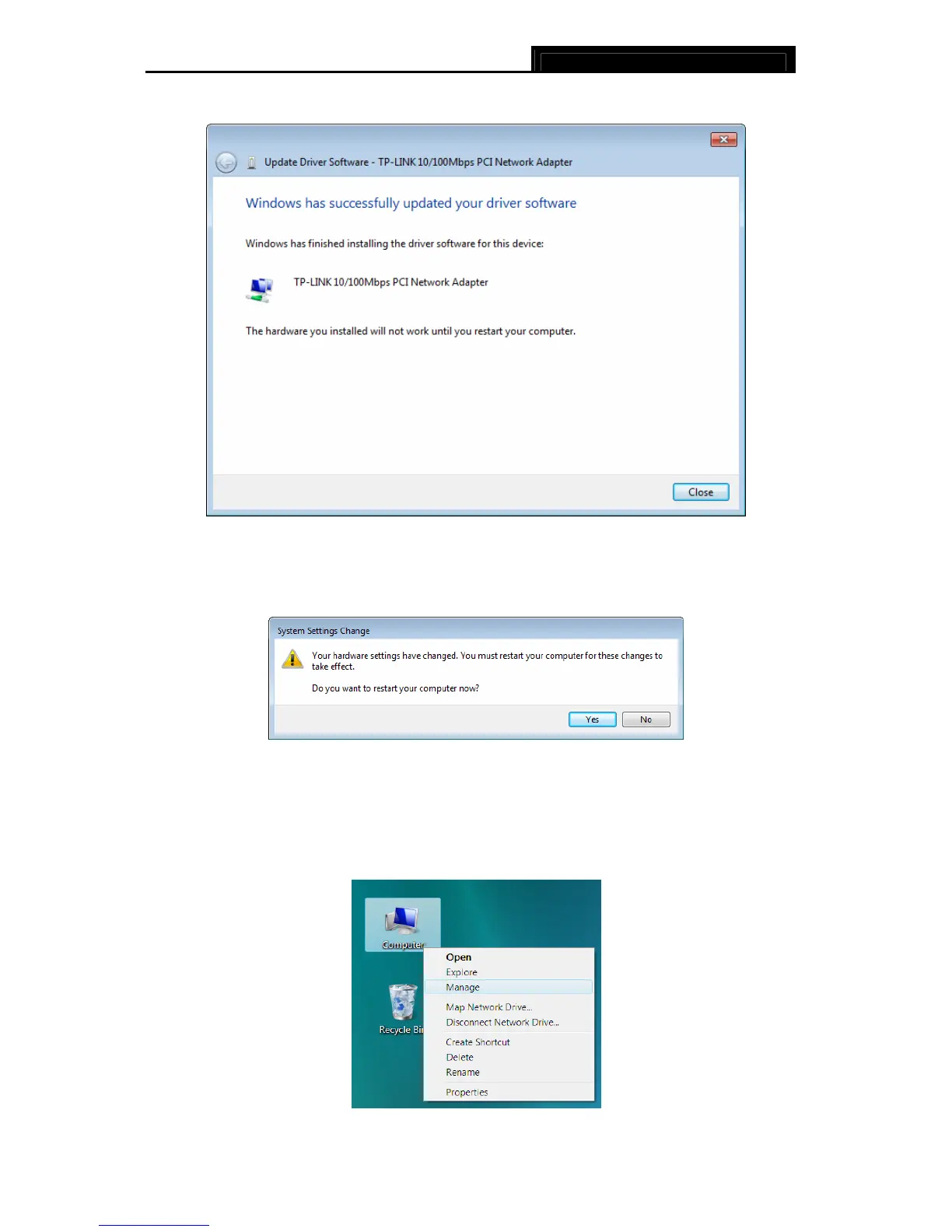
15. Click Close to complete the installation.
Figure 2-29
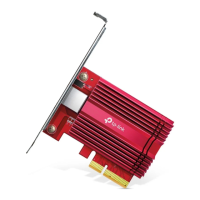
16. Click Yes in the System Settings Change window (as shown in Figure 2-30) to restart the
computer, so that the installation will take effect.
Figure 2-30
2.2.3 For Windows Vista
1. Insert the TP-LINK Resource CD into the CD-ROM drive.
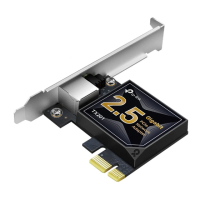
2. Right-click the icon Computer on the desktop, and then click Manage.
Figure 2-31



 To Next Page