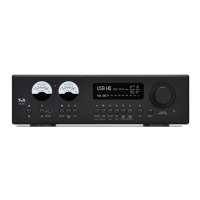
Display Brightness
menu item
(screen brightness)
At this item you can adjust the brightness of the integral screen to suit your per-
sonal preference for normal use.
This menu item offers the choice between three different display operation
modes:
Always on
Temporary
Always off
Selecting 'Temporary' will switch the display is on for a short while each time
the PA 2000 R is being operated. Shortly after operation the display will be
switched off again automatically.
The brightness of the display can be adjusted separately with the menu item
'Display Brightness' (see above).
The purpose of this menu point is to select either of two colour profiles for the
front panel buttons.
In the “white” setting the current status of some functions (e.g. Loudness) is
indicated by symbols on the screen. (see chapter entitled “Screen symbols
and their meaning”)
If the “multi-colour” setting is selected, the current switched states are
indicated by means of different colours of the corresponding buttons.
The various switched states are indicated as follows:
Loudness switched on
Flat function switched on
(Tone control and loudness are bypassed)
At this menu item you define the language to be used for the displays on the
screen of the front panel of the PA 2000 R.
Headphones on / off
menu item
The PA 2000 R detects headphones automatically.
In the “automatic” setting the loudspeaker output and pre-amplifier output are
automatically switched off when headphones are connected. If you wish to be
able to control these outputs separately, select the “manual” setting. In manual
mode the headphones connected to the amplifier can be switched off and on
with a long press on the button.
Clipping protection
menu item
At this menu item you can switch the clipping protection on or off.
(See chapter entitled “Protection circuit”)


 To Next Page