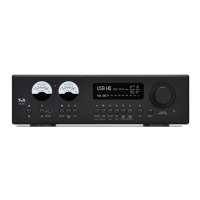
The PA 2000 R features an auto-off function designed to save energy.
When the energy saving function is switched on, the device automatically
switches to standby mode after ninety minutes without a music signal or control
command. The standby current drain is reduced to a minimum by disabling
functions which are not absolutely essential (ECO Standby). If the energy
saving function is switched off, additional functions are available, but the current
drain is slightly higher (Comfort standby).
The automatic power-down function is disabled in this setting.
Power-down function disabled.
The following functions are available depending on the setting:
On (ECO standby):
Active functions in ECO standby mode: automatic power-down after ninety
minutes without music or command. Power-on by remote control or trigger
voltage.
OFF (Comfort standby):
The following expanded functions are available: On / Off button illuminated in
standby mode, power-on by means of a source select button, automatic power-
down function disabled.
The menu item "Energy Saver" lets you disable the Auto-Power-Down function
in countries outside the EU.
Here the LAN port can be configured for analysis purposes (diagnosis) and
computer-controlled operation of device functions (home automation systems
such as CRESTRON, AMX, etc.).
Normally no change is required to the settings. You only need to enter the
appropriate IP address and subnet mask here if the device is to be connected to a
local computer network.
At this point the machine’s MAC address is displayed. The MAC address is
assigned individually for each device. For this reason it is not possible to enter
any values at this point.
Here you can enter the device’s IP address.
The address range of the connected network can be entered at this menu point.
At this menu point you will find information regarding the state of the installed
software and factory reset.
Display of control software version
BL (Bootloader)
sub point
Display of bootloader version
Factory settings
sub point
Calling up and confirming this menu point erases all personal settings, and
restores the factory default settings.


 To Next Page