Need help?
Do you have a question about the T+A DAC 200 and is the answer not in the manual?
Guide to connecting power amplifiers and active loudspeakers.
Connecting digital audio sources like computers via USB.
Details S/P-DIF, OPT, AES/EBU, BNC, and USB inputs.
Describes ANALOG OUT 1 (XLR) and ANALOG OUT 2 (RCA).
Connection for stereo headphones and their operation.
Details the METER, WIDE/INV, and OVS buttons.
How to select different audio input sources.
Accessing settings via the MENU button.
Using the knob for volume adjustment and menu navigation.
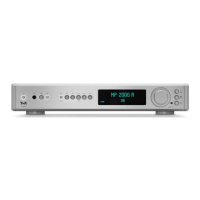
Explanation of the front panel display and its information.
Explains VU meter for input and output signal levels.
Details meters for clock frequency and input error rate.
Selecting audio inputs using the remote control.
Adjusting volume with the remote's rocker buttons.
Navigating menus with remote cursor and OK buttons.
Accessing tone and system settings via remote.
Detailed guide for USB playback from computers.
Navigating system settings using the device controls.
Navigating system settings using the remote control.
Adjusting Balance, HDMI Bypass, and Upsampling.
Explanation of status display messages (OUTPUT, INV, FILTER, OVS, LOC OSC).
Solutions for the device not switching on.
Fixes for USB audio playback issues from Windows.
 General
| Analog Outputs | XLR, RCA |
|---|---|
| DSD Playback | Yes |
| PCM Sample Rates | up to 768 kHz |
| THD+N | < 0.001% |
| Output Voltage | 4.5 V (XLR), 2.25 V (RCA) |
| Type | Digital to Analog Converter |
| Digital Inputs | AES/EBU, Coaxial, Optical, USB |
| DSD Sample Rates | up to DSD512 |

 To Next Page