System settings
Menu operation
Operation on the device
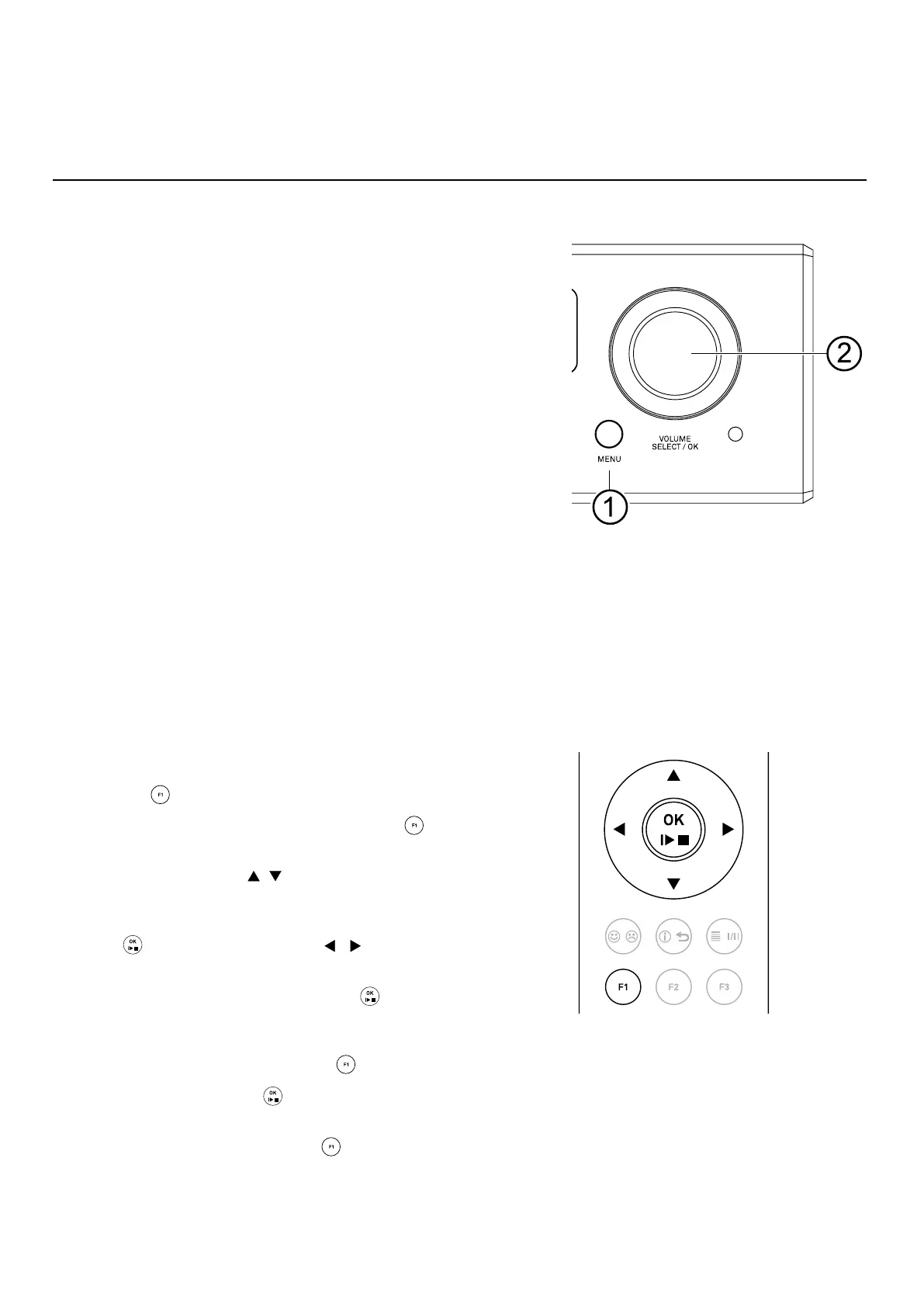
• To call up the system settings menu, press
and hold the MENU button 1 on the front of
the DAC 200.
• To call up the menu for general settings, briey
press the MENU button 1 on the front of the DAC
200.
• Select an item in the menu with the SELECT
knob 2.
• To change a selected menu item, conrm by
pressing the SELECT knob and then change it by
turning the knob.
• To conrm the setting, press the knob again after
the change.
• If you wish to cancel a change, press the MENU
button to abort at any time.
• By pressing the SELECT knob for a long time, you
can return to the previous menu level.
• To exit the menu, press the MENU button.
Operation by remote control
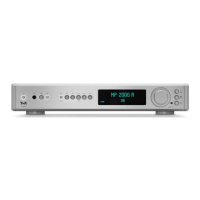
• To open the system settings menu, press and hold
the
button on the remote control.
• To enter the general settings, press the
button
on the remote control briey.
• Use the buttons
to select an item in the
menu.
• To change a selected menu item, rst press the
button and then use the buttons to
alter the setting.
• To conrm the setting, press the
button again
after changing it.
• If you do not want to save a setting, you can cancel
it at any time by pressing the
button.
• Press and hold the
button to return to the
previous menu level.
• To exit the menu, press the
button.
54


 To Next Page