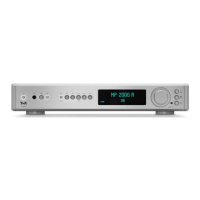
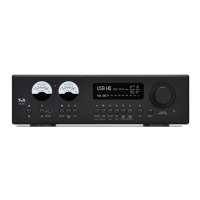
Currently selected source
Set volume with bar graph
Device information /
Settings
Format (e. g. PCM 44.1 kHz)
4
Source selection
ANALOG
Selects the analog input ANALOG IN (RCA).
USB
Selects the digital USB DAC input USB IN.
S/P-DIF
Selects the coaxial digital inputs S/P DIF 1 and 2.
Press the button again to switch between 1 and 2.
OPT
Selects the optical TOSLINK digital inputs Optical 1 and Optical 2.
Press the button again to switch between 1 and 2.
AES
BNC
Selects the digital AES/EBU and the digital BNC input.
Press the button again to toggle between the two inputs.
HDMI
ARC
Selects the digital inputs HDMI 1, HDMI 2 or the return channel ARC.
To switch between the inputs, press the button repeatedly if necessary.
5
Preamplier outputs
OUT
A brief press switches the preamplier outputs ANALOG 1 (XLR) and ANALOG 2
(Cinch / RCA) off and on (MUTING function). The LED above the button indicates the
current switching state.
6
System settings
MENU
A brief press of this button opens and closes the tone settings.
(see chapter System settings).
A long press opens and closes the system settings menu.
(see chapter System settings).
7
Remote control receiver
When operating by remote control, please point FM200 in the direction
of the receiver.
8
Volume control and menu operation
VOLUME
SELECT / OK
The desired volume can be set by turning this control knob. The currently set value is
shown in the display.
A brief press on the knob mutes the output.
In addition to volume control, this control knob is also used to congure the menus
for system settings and tone controls.
8
Display
47


 To Next Page