Connections
1
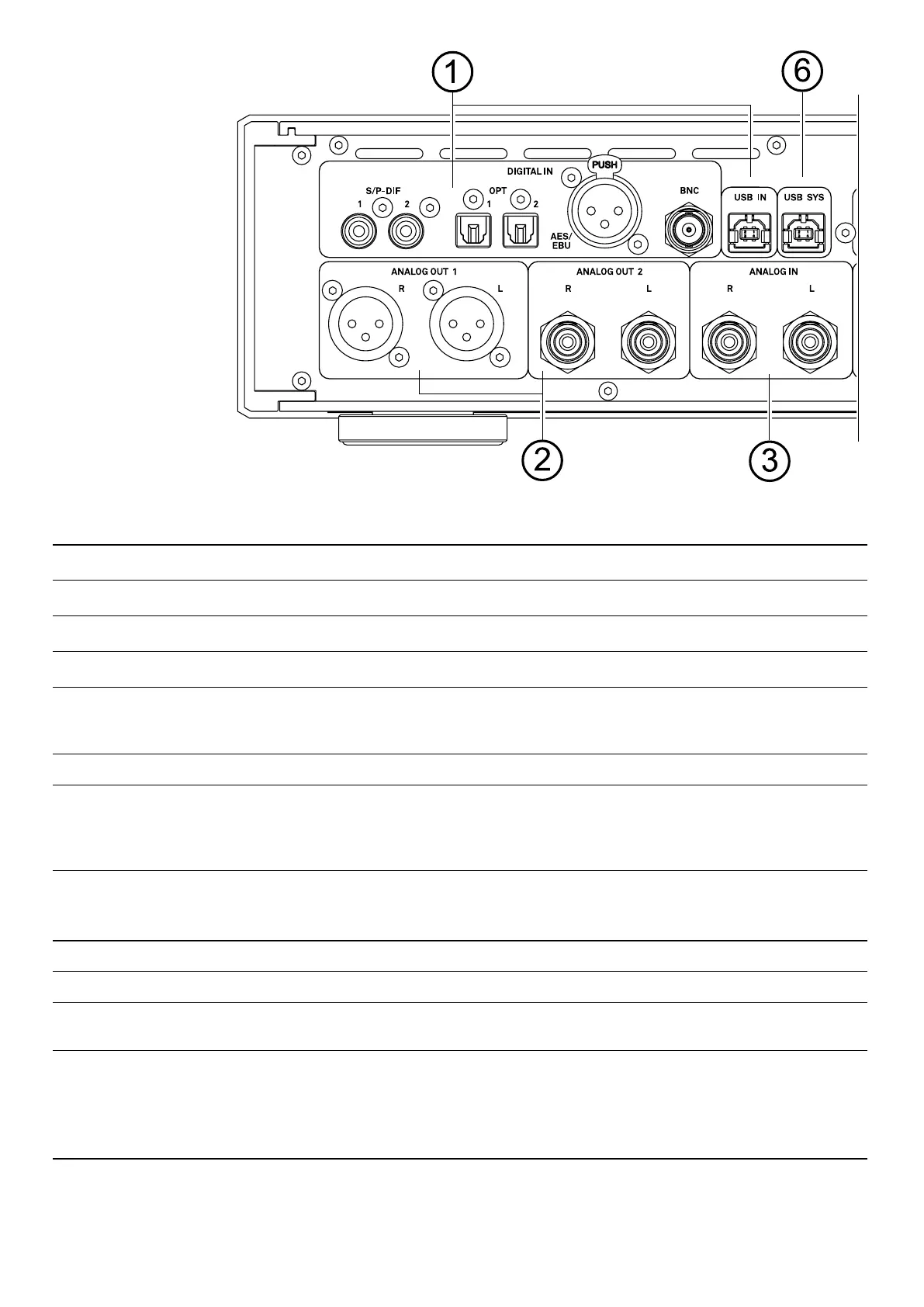
Digital inputs
S/P-DIF
Inputs for digital source devices with a coaxial (Cinch / RCA) digital output.
OPT
Inputs for digital source devices with optical digital output.
AES/EBU
Inputs for digital source devices with AES/EBU digital output.
BNC
Inputs for digital source devices with digital BNC output.
j
The DAC 200 accepts digital stereo signals according to the S/P-DIF standard with sam-
pling rates from 32 to 192 kHz and DoP DSD64 (0x05/0xFA Marker) at all inputs listed
above.
USB IN
Connection socket for a Windows PC, MAC or LINUX computer.
j
The DAC 200 accepts digital PCM stereo signals with sampling rates of 44.1...768 kSps
and digital DSD stereo signals from DSD64 to DSD1024* at this input.
* DSD512 to DSD1024 only from a Windows PC with installed driver or from a Linux PC
with kernel 4.4 or higher.
2
Analog outputs
ANALOG OUT 1
Balanced analog XLR output with xed or variable output level.
ANALOG OUT 2
Unbalanced analog RCA output with xed or variable output level.
j
In the system settings menu (see chapter System settings), the analog outputs
(ANALOG OUT) can be set to a xed or volume controled output level.
You can only use the balanced XLR or the unbalanced RCA connection.
3
Analog input
ANALOG IN
Unbalanced analog line input for connecting source devices with RCA output (e.g.
turntables with integrated or pre-connected external phono preamplier).
44


 To Next Page