4
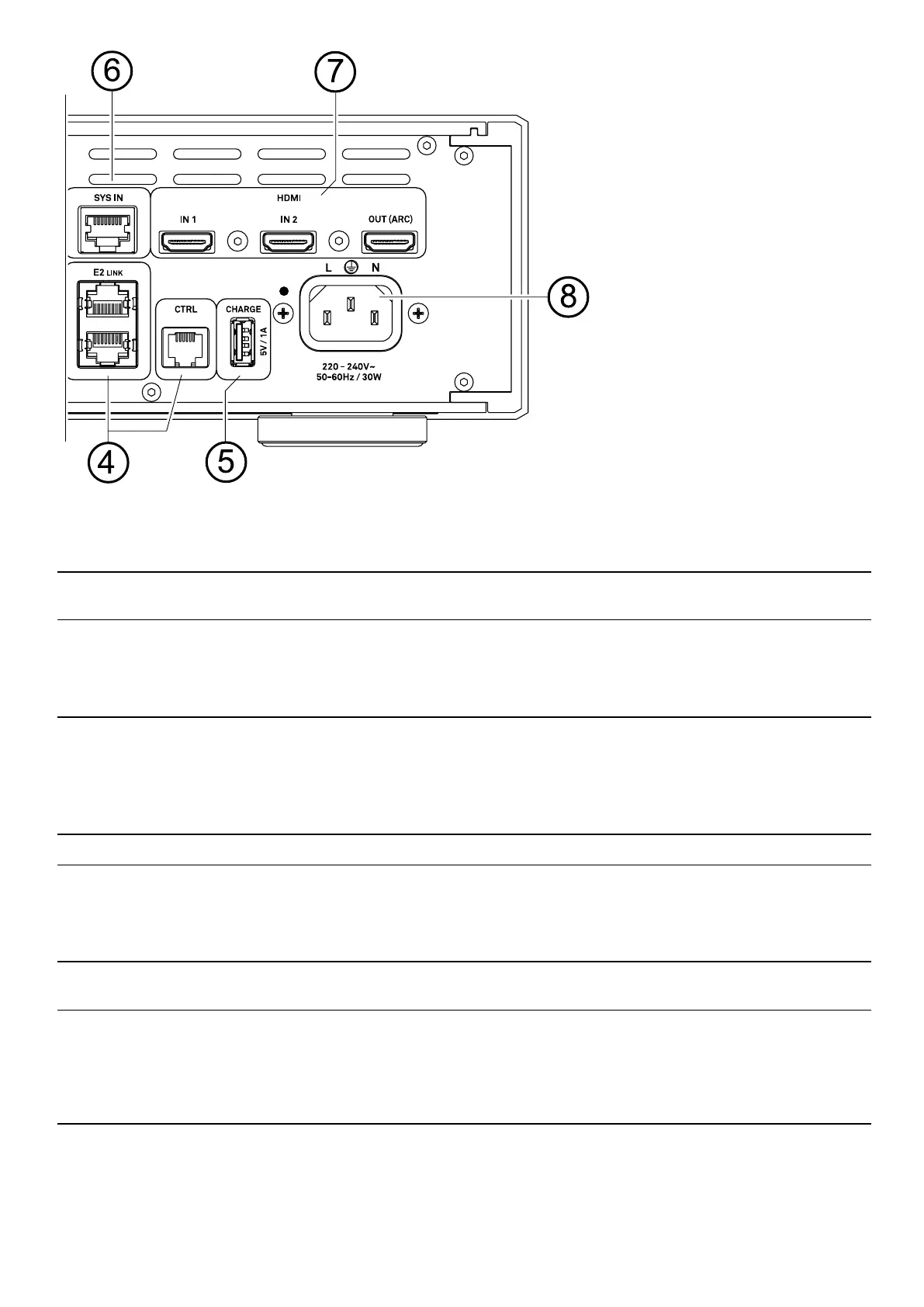
System control
E2 LINK
Connectors for the connection and controlling of compatible devices like the power
amplier A200.
CTRL
Interface for possible future extensions.
5
Charging port
CHARGE
5 V /1 A
USB charging port for supplying external USB devices with power.
6
System interfaces
USB SYS
USB audio system interface for the MP 200.
SYS IN
Control interface for the MP 200.
7
HDMI inputs
(optional)
HDMI
IN1 and IN2 for connecting a Blu-Ray player or similar.
The OUT (ARC) output is for connecting a television set.
j
If your TV set features the ARC (Audio Return Channel) function,
the TV sound can be played back via the DAC 200.
8
Mains input
Connect the mains cord to this socket.
45


 To Next Page