Operation
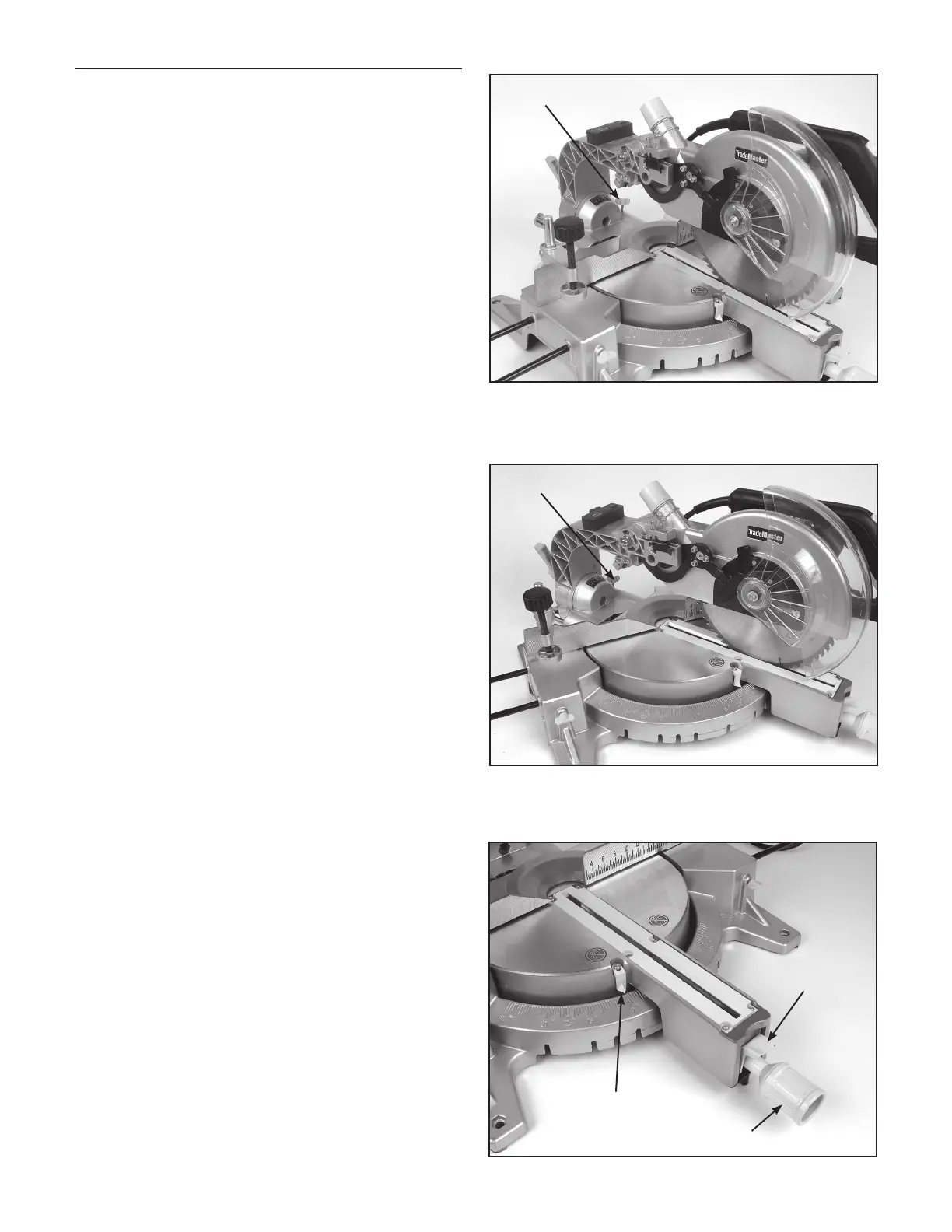
Press Cut (cutting a small work piece)
The work piece size within the scope of 70mm(H) x
210mm(W) can be cut in the following way:
Push the carriage to the end towards the cross bar,
tighten the knob to fix the carriage. Then use the vice to
secure the work piece. Switch the machine on and wait
for the saw blade to reach its maximum speed before
slowly pressing the handle downwards. After you have
finished cutting, turn the switch off and wait until the
saw blade stops rotating before you completely raise the
handle.
Slip Cut (cutting a wide work piece)
The work piece size within the scope of 80mm(H) x
300mm(W) can be cut in the following way:
Release the knob to slip the carriage freely. Completely
pull the carriage towards the operator. Switch the
machine on and wait for the saw blade to reach its
maximum speed. Then press down on the handle and
push it to the cross bar to cut the work piece. After you
have finished cutting, turn the switch off and wait until
the saw blade stops rotating before you completely raise
the handle.
Setting a Bevelled Joint Angle
Loosen the hand shank by turning it counter clockwise.
Press down on the spring pin so that the rotary table is
free to turn. When the desired angle on the scale on the
base matches up with the arrow marked on the rotary
table, turn the hand shank clockwise to tighten it.
Knob
Knob
Indicator
Hand Shank
Spring Pin



 To Next Page