USER GUIDE
10
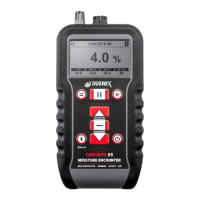
NON-DESTRUCTIVE MEASUREMENT MODE
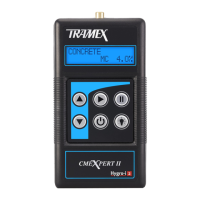
1. Press the key to power up. With no Hygro-i
probe or pin probe connected the last used scale
will be displayed on the LCD. Press key again
to power off.
2. To change mode, press key to select the Concrete,
Pin Probe or the comparative material scales. The
comparative material scales consist of CM Equiv.,
Gypsum and Ref. Select the CM Equiv., Gypsum or
Ref. scale using the key or key.
3. Press your CMEXpert II directly onto the surface
of the material being tested ensuring that all the
electrode spring-loaded pins are fully compressed.
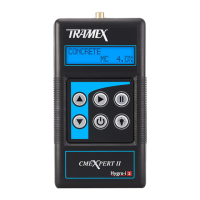
Concrete Scale
When the Concrete scale is selected the moisture content
(MC) is shown on the right-hand side of the bottom line of
the display. The moisture content (MC) is displayed 0 to
6.9% on the CMEXpert II display. Readings on a concrete
oor slab obtained on this scale indicate moisture content
and should not be confused with Pounds (lbs) emission or
any other unit of measurement obtained by other moisture
testing methods or meters. It should also be noted that
there seems to be no linear correlation between moisture
content measurements and lbs emission measurements as
obtained using calcium chloride testing methods.


 To Next Page
 Loading...