USER GUIDE
8
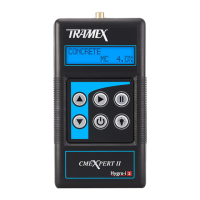
● To conserve battery life, the instrument automatically
powers OFF after 10 minutes of inactivity or when
the key is pressed. If a key is pressed the
power off time will be extended for an additional ten
minutes.
● Backlit display allows the display to be easily read
in poor light conditions. This is enabled by pressing
the key. The backlight stays on for a period of
time set.
● Backlight display time. To adjust the backlight
display time, press the and keys together.
Then scroll with the key from 10 – 60 seconds.
(If the key is pressed, you will enter language
choice settings.) When time is chosen select
key to conrm and return to scale mode. (Longer
backlight timeouts will reduce the battery life.)
● Language display adjustment. To adjust the language
display, press the and keys together. Then
scroll with the key through the language library.
(If the key is pressed, you will enter the backlight
time settings.) When language is chosen select
key to conrm and return to scale mode.
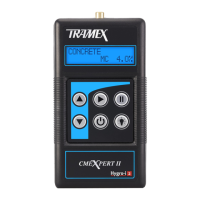
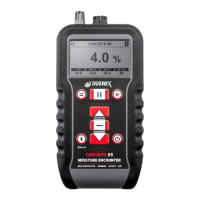
● HOLD freezes reading to facilitate ease of
recording readings. When the CMEXpert II is in
HOLD mode, ‘H’ will ash on the display. If HOLD
was selected prior to the CMEXpert II automatically
powering off, the frozen display reading is digitally
memorized and restored next time ON is selected.
● When the battery requires replacement a LOW
BATTERY message is shown on the LCD.


 To Next Page
 Loading...