Installing the Tracer AdaptiView
Display
The Tracer AdaptiView display is boxed and shrink-
wrapped behind the control panel during shipment. The
Tracer AdaptiView display must be installed at the site.
Important: The Tracer AdaptiView display and display
arm are to be installed by Trane, or an
agent of Trane, for best results.
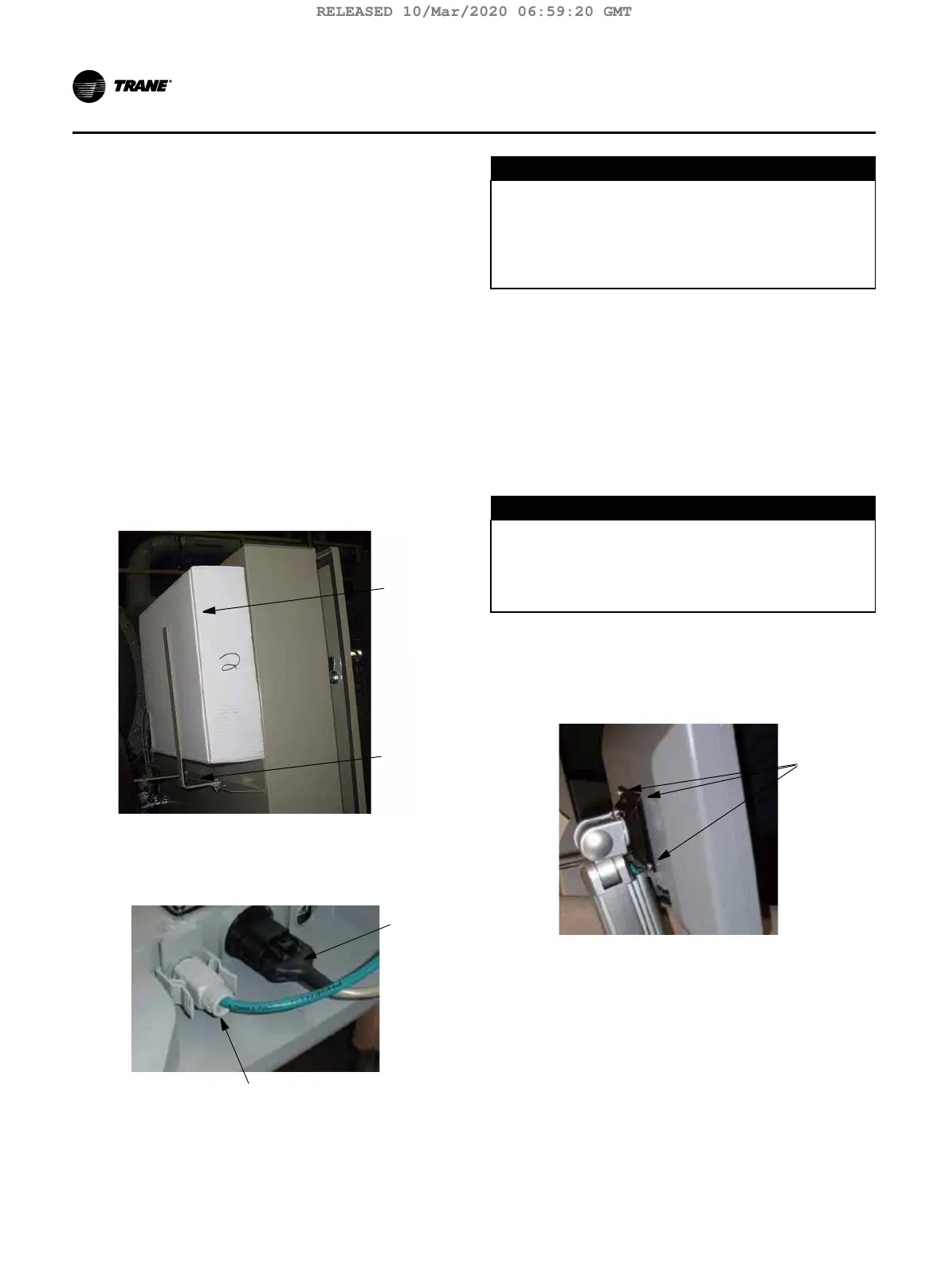
1. Unwrap control panel and display arm. Locate the box con-
taining the Tracer AdapView display behind the control
panel (labeled A).
2. After the box containing the display has been re-
moved, remove the shipping bracket from the back of
the control panel (B).
3. Remove the Tracer AdaptiView display from the box.
Note: Screws are M4 (metric size 4), 6 to 8 mm long,
and are shipped with the display.
A
B
4. Plug the power cable (C) and the Ethernet cable (D)
into the bottom of the display.
Note: Both cables are already present and extend from
the end of the display arm.
5. Adjust the Tracer AdaptiView display support arm so
the base plate that attaches to the Tracer AdaptiView
display is horizontal.
D
CAUTION
Tension in Display Support Arm!
To prevent unexpected movement of the spring-
loaded support arm, ensure that the support arm is
in the full upright position when removing the Tracer
AdaptiView display from the support arm. Failure to
do so could result in personal injury.
Note: Review “Adjusting the Tracer AdaptiView Display
Arm” p. 37 prior to attaching the display as
some adjustments may be required prior to at-
taching the display to the support arm base.
6. Position the Tracer AdaptiView display, with the LCD
screen facing up, on top of the display support arm
base plate.
Note: Make sure the Trane logo is positioned so that
it will be at the top when the Tracer AdaptiView
display is attached to the display support arm.
D
NOTICE
Do Not Drop Display!
As you position the Tracer AdaptiView display on top
of the display support arm base plate, keep a rm
grip on the display. Failure to do so could result in
equipment or property-only damage.
7. Align the four holes in the display with the bolt holes
in the display support arm base plate.
8. Attach the Tracer AdaptiView display to the display
support arm base plate (E). The Tracer AdaptiView
display is now installed and ready for use.
36 TCVHE-SVX04D-EN
Installation Controls
RELEASED 10/Mar/2020 06:59:20 GMT






 To Next Page