EasyManua.ls Logo

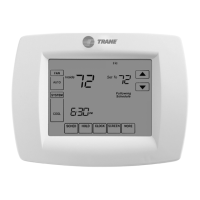
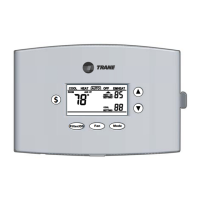
Trane TCONT402AN32DA - User Manual

Trane TCONT402AN32DA
12 pages
Print Icon
To Next Page IconTo Next Page
Loading...
Fan Mode
Filter/OD
$
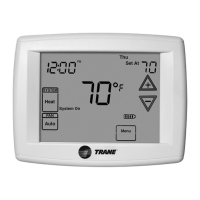
XR402
Comfort
Control
TCONT402AN32DA
Comfort Control
Owner’s Manual
Pub. No. 22-5209-01
Trane
6200 Troup Highway
Tyler, Texas 75711
For more information contact
your local dealer (distributor)

Other manuals for Trane TCONT402AN32DA

Questions and Answers

  • A
    Anna GutierrezSep 3, 2025
    What to do if my Trane TCONT402AN32DA is not responding to keypad presses?
    • N
      Nicholas HarrisonSep 3, 2025
      If your Trane Thermostat isn't responding to keypad presses, here's what you can do: * Check if the keypad is locked. If "Keypad locked" is displayed on the LCD, unlock it by pressing the Up and Down arrow buttons together until the message disappears. * If the keypad is still not working, the control might need to be replaced.
  • J
    James EdwardsSep 1, 2025
    Why does my Trane TCONT402AN32DA fan run all the time?
    • D
      Doris DavisSep 1, 2025
      If your Trane Thermostat fan is always running, here are a couple of things to check: * The fan mode might be set to ON. Change the fan mode to AUTO. * There could be shorted control wiring. Inspect and repair the wiring, if needed.
  • G
    Gina HoltAug 31, 2025
    Why won't my Trane TCONT402AN32DA Thermostat temperature setting change?
    • J
      Julie MillsAug 31, 2025
      If your Trane Thermostat's temperature setting won't change, it could be due to these reasons: * You may have reached the upper or lower temperature limits. Heating limits are between 40-85°F, and cooling limits are between 65-90°F. Check your temperature setpoints. * The keypad might be locked. If "Keypad locked" is displayed, press the Up and Down arrow buttons together until the icon disappears to unlock it.
  • W
    woodcharlesAug 29, 2025
    What to do if Trane TCONT402AN32DA Thermostat says 'Cool ON' or 'Heat ON' but no air is coming out?
    • J
      Jose HartmanAug 29, 2025
      If your Trane Thermostat displays "Cool ON" or "Heat ON," but no warm or cool air is coming from the registers, consider these possibilities: * The heating equipment might turn on the fan only after the furnace has warmed up to a setpoint. Wait one minute after "Heat ON" is displayed and then check the registers. * The heating or cooling equipment may not be operating correctly. Check your heating and cooling system.
  • D
    davidgrayAug 28, 2025
    How to fix a Trane Thermostat display that will not come on?
    • C
      Cynthia AndersonAug 28, 2025
      If the display on your Trane Thermostat won't turn on, there are a few potential causes: * A blown fuse or tripped circuit breaker could be the issue. Try replacing the fuse or resetting the breaker. * The furnace power switch might be off. Ensure it is turned on. * The furnace blower compartment door or panel might be loose or not properly installed. Make sure the door panel is correctly positioned to engage the safety interlock or door switch.
  • J
    Jacob SimmonsAug 26, 2025
    What to do if my Trane Thermostat cooling will not come on?
    • J
      jgonzalezAug 27, 2025
      If your Trane Thermostat's cooling won't turn on, here are a few things to check: * The System Mode might not be set to Cool. Set the Mode to cool and lower the setpoint below room temperature. * The minimum off time delay may be in effect. If cooling does not come on within 15 minutes, contact a servicer. * There might be a loose connection to the control or system. Repair the connections. * The cooling system may require service, or the control may need replacement. Repair the system or replace the control.
  • S
    Sean SmithAug 25, 2025
    What to do if my Trane Thermostat heating will not come on?
    • S
      Sophia HarringtonAug 25, 2025
      If your Trane Thermostat's heating won't turn on, it could be due to the following reasons: * The System Mode might not be set to Heat. Set the Mode to heat and raise the setpoint above room temperature. * The minimum off time delay may be in effect. If heating does not come on within 5 minutes, check the heating system. * There might be a loose connection to the control or system. Check and repair the connections. * The heating system may require service, or the control may need replacement. Repair the system or replace the control.
  • J
    Joshua DavisAug 22, 2025
    How to calibrate the outdoor temperature display on a Trane Thermostat?
    • J
      Jamie NelsonAug 23, 2025
      If your Trane Thermostat's outdoor temperature display is incorrect, it might be because the temperature display needs calibration. Calibrate the sensor using User Setup Step 60. Also, disconnect the outdoor sensor from the controls terminal block and check the sensor and field wiring resistance value using Table 2.

Summary

Warranty

Limited Warranty Details

Details the warranty terms for the comfort control.

Keypad Functions

Mode Button Operation

Explains how to change the system mode (Heat, Cool, Auto, Off, EMHEAT).

Fan Control Operation

Controls the indoor fan operation (automatic or continuous).

Energy Savings Key Operation

Activates energy-saving modes by adjusting temperature setpoints.

Troubleshooting

Common System Issues

Provides solutions for common system problems and error indicators.

User Setup Options

Comfort Control Setup Table

Lists various settings and their default values for configuration.

Service and System Indicators

Service Indicator Alert

Alerts to internal faults or errors requiring service.

Trane TCONT402AN32DA Specifications

General IconGeneral
TypeProgrammable Thermostat
CompatibilityCompatible with most 24V heating and cooling systems
Wi-Fi CapabilityNo
Product TypeThermostat
Programmability7-Day Programmable
Control TypeTouchscreen
Humidity ControlNo
ColorWhite
Power Source24 VAC
Power MethodHardwired
DisplayBacklit LCD

Related product manuals