EasyManua.ls Logo

Trane TCONT900AC43UA - User Manual

Trane TCONT900AC43UA
52 pages
Print Icon
To Next Page IconTo Next Page
Loading...
69-1817-04
OWNER’S GUIDE
Pub No. 22-5211-02
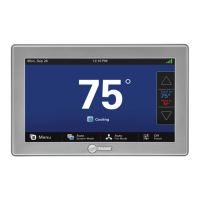
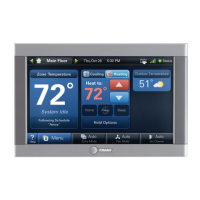
TCONT900AC43UA Communicating,
Programmable Comfort Control

Other manuals for Trane TCONT900AC43UA

Questions and Answers

  • A
    Abigail OrtizSep 10, 2025
    What to do if room temperature overshoots on Trane Control Panel?
    • B
      Brian ChungSep 12, 2025
      If the room temperature overshoots when the Heat/Cool setting is changed by more than 2 degrees on your Trane Control Panel: * The heating/cooling equipment might be oversized for the current conditions, preventing the control from responding quickly enough to prevent overshooting. Set the Control Response rate to “Aggressive” using ISU 0680 or 0690. * The comfort control might be improperly located. Choose a location that prevents the Comfort Control from being directly exposed to air currents from supply registers.
  • C
    Cathy BrownAug 22, 2025
    Why is the heating not coming on with my Trane Control Panel?
    • M
      Megan BensonAug 23, 2025
      If your Trane Control Panel is not turning on the heat, consider the following: * Ensure the System Mode is set to Heat and that the setpoint is raised above the room temperature. * If the heating doesn't start within 5 minutes, inspect the heating equipment. * Check and repair any loose connections to the control or system. * The heating system may require professional repair.
  • D
    Darrell ChristensenAug 25, 2025
    Why is the cooling not coming on with my Trane TCONT900AC43UA?
    • N
      Nathan MillsAug 25, 2025
      If your Trane Control Panel is not activating the cooling, here's what to check: * Make sure the System Mode is set to Cool and lower the setpoint below the room temperature. * If cooling doesn't start within 15 minutes, examine the cooling equipment. * Inspect and fix any loose connections to the control or system. * The cooling system might need professional repair.
  • M
    Megan MurphyAug 26, 2025
    How to fix temperature setting if it will not change on Trane TCONT900AC43UA Control Panel?
    • R
      Raymond AndersonAug 27, 2025
      If you cannot adjust the temperature settings on your Trane Control Panel, consider these possibilities: * You may have reached the upper or lower temperature limits. Check the heating limits (ISU 0600), which are between 40°F - 90°F (4.4°C - 32.2°C), and the cooling limits (ISU 0610), which are between 60°F - 99°F (15.5°C - 32.2°C). * The keys may be fully locked, with “Screen Locked” displayed on the LCD. If so, unlock the keypad using ISU 0670.
  • K
    kyle88Aug 27, 2025
    Why does the fan run all the time on my Trane TCONT900AC43UA?
    • D
      Dawn WilliamsAug 28, 2025
      If the fan is constantly running on your Trane Control Panel, here are a few things to check: * The fan mode might be set to ON - continuous. Change the fan mode to AUTO or CIRC. * The fan might be scheduled to run continuously. Reprogram the fan schedule if desired. * The indoor equipment may need service. Check the indoor equipment.
  • R
    Rhonda HansonAug 29, 2025
    What to do if Trane TCONT900AC43UA Control Panel does not respond to keypad screen presses?
    • J
      Jennifer ArnoldAug 29, 2025
      If your Trane Control Panel isn't responding to keypad presses: * Check if the keys are locked; if “Screen Locked” is displayed, unlock the keypad using ISU 0670. * The control might need replacement due to keypad failure.
  • K
    Kelly JamesSep 18, 2025
    What to do if no equipment is running and I can't change the mode from 'OFF' on my Trane Control Panel?
    • A
      Andrea WilliamsSep 18, 2025
      If no equipment is running and you cannot change the mode from “OFF” on your Trane Control Panel: * The equipment may not have been connected during Auto-Discovery mode. Check and verify the wiring connections and cycle power to the components. * Cycle the power to restart the Auto-Discovery process.
  • S
    Scott DelgadoSep 12, 2025
    Why does my Trane TCONT900AC43UA show '--' for indoor temperature?
    • R
      Richard BlevinsSep 12, 2025
      If the indoor temperature display on your Trane Control Panel shows “--”, it indicates that the indoor temperature sensor is either open or shorted, requiring you to replace the control.
  • R
    Rachel KirbySep 8, 2025
    Why are the cooling cycles too fast or too slow on my Trane TCONT900AC43UA Control Panel?
    • J
      Jonathan StevensSep 9, 2025
      If the cooling cycles too fast or too slow on your Trane Control Panel, the location of the control or the size of the cooling system might be the cause. To resolve this, verify and adjust cycle rates using ISU 0220 and 0230.
  • C
    Cathy PattersonSep 5, 2025
    How to calibrate indoor humidity display on Trane Control Panel?
    • J
      John LopezSep 5, 2025
      If the indoor humidity display on your Trane Control Panel is incorrect, calibrate the sensor using ISU 0701.

Summary

FEATURES

HOME SCREEN

Key and Display Description

Explains the function of various keys and display elements on the thermostat's home screen.

PROGRAMMING YOUR HEATING AND COOLING SCHEDULE

EDITING SCHEDULE

CANCELING A SCHEDULE PERIOD

SETTING TIME

OPERATING YOUR COMFORT CONTROL

Setting Fan and System Keys

Describes how to select fan modes (On, Auto, Circ) and system modes (Heat, Cool, Auto, Off).

Setting Temperature Overrides

Hold Options (Until, Permanent, Vacation)

Explains how to temporarily or permanently override the programmed schedule with specific temperature settings.

Fan Schedule

CLEANING YOUR COMFORT CONTROL SCREEN

READING YOUR OUTDOOR TEMPERATURE

Reminder Timers

Screen Locked

READING YOUR INSIDE HUMIDITY LEVEL

CONTROLLING YOUR INSIDE DEHUMIDIFICATION SETTING

CONTROLLING YOUR INSIDE HUMIDIFICATION SETTING

Humidity Control Settings

Details on setting humidification levels and managing frost control features for optimal indoor comfort.

Temperature Recovery

Advanced Heat Pump Features

Setting the Calendar

Instructions for setting the current year, month, and day for accurate timekeeping and scheduling.

ADVANCED SETTINGS

USER SETUP MENU

User Setup: Configuration Options

Guides through various setup options, including calendar, time, schedule, fan, humidity, and display settings.

Error Codes

FREQUENTLY ASKED QUESTIONS AND ANSWERS

LIMITED WARRANTY

CUSTOMER ASSISTANCE

Trane TCONT900AC43UA Specifications

General IconGeneral
CompatibilityCompatible with most HVAC systems
DisplayTouchscreen
Wi-Fi EnabledYes
ProgrammableYes
Energy Star CertifiedYes
ConnectivityWi-Fi
Remote AccessYes
Indoor Humidity ControlYes
Energy MonitoringYes
BacklightYes
MountingWall-mounted
Series900
Power Source24V
StagesUp to 2 Heat, 2 Cool

Related product manuals