EasyManua.ls Logo

Trane TZON1050AC52ZC - User Manual

Trane TZON1050AC52ZC
32 pages
Print Icon
To Next Page IconTo Next Page
Loading...
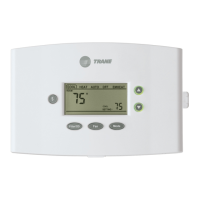
TZON1050 Installation Guide
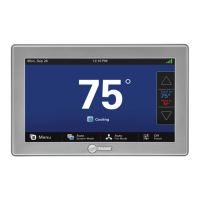
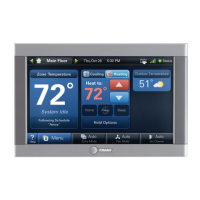
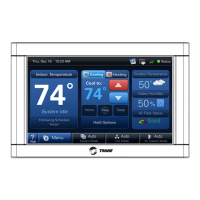
ComfortLink™ II XL1050
Communicating Connected Control
ALL phases of this installation must comply with NATIONAL, STATE AND LOCAL CODES
IMPORTANT — This Document is customer property and is to remain with this unit.
These instructions do not cover all variations in systems or provide for every possible contingency to be met in connection with
the installation. Should further information be desired or should particular problems arise which are not covered sufficiently
for the purchaser’s purposes, the matter should be referred to your installing dealer or local distributor.
18-HD80D1-6E-EN

Questions and Answers

  • R
    ryanrichardAug 20, 2025
    Why is my Trane TZON1050AC52ZC not turning on?
    • T
      Thomas BakerAug 20, 2025
      If the display on your Trane 1050 Control Panel won't come on, it could be due to a loss of 24VAC between R & B. Here’s what you can do: 1) Check the wiring between R & B. 2) Check the transformer for 24VAC output. 3) Check for a broken or shorted thermostat wire.
  • J
    Jesse CarterAug 22, 2025
    What to do if heating will not come on with Trane TZON1050AC52ZC?
    • T
      Thomas CastilloAug 22, 2025
      If your heating isn't turning on with the Trane 1050 Control Panel, here are a few things to check: * Make sure the system mode is set to Heat/Auto and the setpoint is higher than the room temperature. * Wait for 5 minutes to ensure the minimum off time delay isn't being enforced. * If the issue persists, the heating system may require service; check and repair the system.
  • P
    pattymyersAug 25, 2025
    What to do if cooling will not come on with Trane TZON1050AC52ZC Control Panel?
    • M
      Michael Gilmore DDSAug 25, 2025
      If your cooling isn't turning on with the Trane 1050 Control Panel, here are a few things to check: * Ensure the system mode is set to Cool/Auto and the setpoint is lower than the room temperature. * Wait for 5 minutes to ensure the minimum off time delay isn't being enforced. * If the issue continues, the cooling system may need service; check and repair the system.
  • K
    kevin81Aug 26, 2025
    What to do if my Trane Control Panel displays an alert?
    • R
      rebekah94Aug 27, 2025
      If your Trane 1050 Control Panel displays an alert, navigate to the Diagnostic screen on the control panel to find a Problem Description and Possible Cause.
  • K
    Kathy BarkerAug 28, 2025
    What to do if heating or cooling is displayed on Trane TZON1050AC52ZC Control Panel, but no warm or cool air is coming from the registers?
    • A
      Angelica WebbAug 28, 2025
      If your Trane system displays heating or cooling but no air is coming from the registers, it could be due to a fan delay as the heating or cooling equipment turns on. Wait a minute for blower delays and recheck registers. If the issue persists, the equipment might not be working properly, so check and repair the system.
  • T
    Tina SmithAug 29, 2025
    How to calibrate the indoor temperature display on a Trane Control Panel?
    • V
      Victoria KaneAug 29, 2025
      To calibrate the indoor temperature display on your Trane 1050 Control Panel, use the control’s menu to access and calibrate the temperature sensor. The incorrect temperature might also be caused by surrounding air flow affecting sensed temperature of the 1050 Control.
  • C
    Christopher MccoyAug 31, 2025
    Why does the fan run all the time on my Trane TZON1050AC52ZC?
    • J
      James OwensAug 31, 2025
      If the fan runs constantly on your Trane 1050 Control Panel, it might be because the fan mode is set to On, Circulate, or Clean mode. Check the 1050 Control settings to see if the fan is set to one of these modes. Also, there could be a failure in the indoor unit.
  • J
    Jonathan BarrySep 2, 2025
    What to do if the room temperature overshoots when the Heat/Cool setting is changed more than 2° on Trane Control Panel?
    • J
      Joseph HoltSep 2, 2025
      Room temperature overshooting on your Trane 1050 Control Panel when changing the Heat/Cool setting by more than 2° can occur if the heating/cooling equipment is oversized for the current conditions, preventing the 1050 Control from responding quickly enough. Also, it can be caused by an improper location of the 1050 Control. Compare heat load calculation to equipment chosen and relocate the 1050 Control or use a remote sensor.
  • F
    flongSep 4, 2025
    How to calibrate the indoor humidity display on a Trane TZON1050AC52ZC?
    • M
      Michelle NorrisSep 4, 2025
      To calibrate the indoor humidity display on your Trane 1050 Control Panel, use the 1050 Control’s menu to calibrate the humidity sensor.
  • S
    Stephanie DuncanSep 6, 2025
    What to do if the fan is set to ON but not running on my Trane TZON1050AC52ZC Control Panel?
    • A
      aguirremarySep 6, 2025
      If the fan is set to ON but not running on your Trane 1050 Control Panel, the Smart Continuous Fan feature might be engaged. If indoor humidity is higher than the desired setpoint, the blower will cycle off with the equipment. A humidity icon will be displayed on the Fan Mode button when the blower operation is being inhibited due too high humidity. Also, the blower motor might not be functioning, so check and repair the system.

Summary

Safety

Product Specifications

Installation

Location

Provides guidelines for selecting the optimal mounting location for the control.

Mounting

Details the steps required to physically mount the thermostat sub-base to the wall.

Wiring

Guides the user through connecting the control wires to the sub-base terminals.

System Setup

Installer Setup Screens

Introduces the screens for configuring installer settings.

Group 2 - Zoning Settings

Configures zoning parameters when a Zone Panel is connected.

Group 5* - Comfort Settings

Adjusts comfort-related features like dehumidification and aggressive recovery.

Group 7* - Lockout Settings

Sets lockout parameters based on outdoor temperature for various operations.

Indoor Sensor Setup

Software Updates

Basic Operation - Non-Zoned

Stage Thresholds

Stage Inhibits

Advanced Operation

Dehumidification

Explains methods used for indoor humidity control.

Dual Fuel Operation

Describes how the control manages dual fuel heating systems.

Lockouts

Humidifier Operation

Ventilation Operation

Wet Heat (Hydronic) Operation

Zoning

Zoning Requirements

Lists the necessary components and conditions for zoning.

Operation

Explains how the system operates when zoning is enabled.

Damper position

Capacity Request (System LV)

Excess Air Management

Air Flow Modulation

Relief Strategy

Diagnostic Tools

Test Modes

Provides access to various test modes for system diagnostics.

Damper Test Mode

Diagnostics

History

System Report

Troubleshooting

Trane TZON1050AC52ZC Specifications

General IconGeneral
ModelTZON1050AC52ZC
Wi-Fi ConnectivityYes
Voltage24 VAC
Power Source24VAC from HVAC system
ProgrammableYes
Humidity ControlYes
Indoor Temperature SensorYes
ColorWhite
DisplayTouchscreen
Remote AccessYes

Related product manuals