EasyManua.ls Logo

Trane Zone Panel - User Manual

Trane Zone Panel
28 pages
Print Icon
To Next Page IconTo Next Page
Loading...
18-HD66D1-4
ALL phases of this installation must comply with NATIONAL, STATE AND LOCAL CODES
IMPORTANT — This Document is customer property and is to remain with this unit. Please return to service informa-
tion pack upon completion of work.
These instructions do not cover all variations in systems or provide for every possible contingency to be met in connection with
the installation. Should further information be desired or should particular problems arise which are not covered sufficiently for the
purchaser’s purposes, the matter should be referred to your installing dealer or local distributor.
Table of Contents
Section 1. Safety ................................................1
Section 2. General Information ..........................2
Section 3. Installation .........................................6
Section 4. Zoning Setup ..................................16
Section 5. Zone Sensor Setup .........................22
Section 6. Damper Test Mode ..........................24
Section 7. User Interface .................................25
Section 8. Control Board Test Points ...............26
Section 9. Troubleshooting ...............................28
WARNING
!
This information is intended for use by individuals possess-
ing adequate backgrounds of electrical and mechanical
experience. Any attempt to repair a central air conditioning
product may result in personal injury and/or property dam-
age. The manufacture or seller cannot be responsible for
the interpretation of this information, nor can it assume any
liability in connection with its use.
WARNING
!
LIVE ELECTRICAL COMPONENTS!
During installation, testing, servicing, and troubleshoot-
ing of this product, it may be necessary to work with live
electrical components. Failure to follow all electrical safety
precautions when exposed to live electrical components
could result in death or serious injury.
10/17
Installation Guide
Other Installation Guides may be necessary, based on system configuration.
A complete list of other optional components is shown below.
1
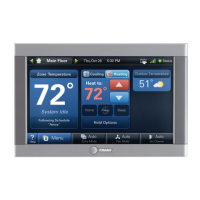
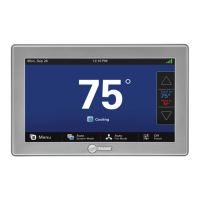
Control (required) *ZONE950AC52ZA or
*ZON1050AC52ZA
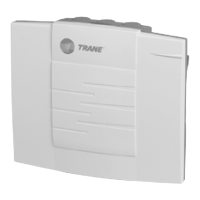
2
Relay Panel
For use with 24V indoor systems (optional)
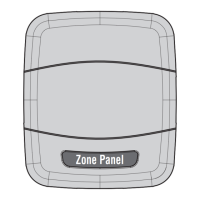
3 Zone Panel
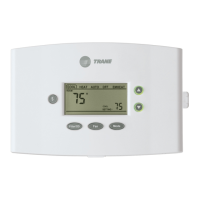
4
Zone Sensor with Display (optional)
5
Zone Sensor (optional)
6
Zone Dampers (optional)
Zone Panel
ZZONEPNLAC52ZB (Kit)
ZZONEEXPAC52ZB (Zone Panel)
Section 1. Safety
IMPORTANT — Proper application is critical when installing zoning systems. Not done correctly, the HVAC
and zoning systems will not provide the expected comfort. Reference application bulletins CNT-APG003-
EN/Trane and CNT-APG004-EN/AS for detailed information on Zoning Application

Questions and Answers

  • B
    bryanbrendaJul 27, 2025
    Why is 'Zoning Disabled' displayed on my Trane Zone Panel?
    • D
      David CrawfordJul 27, 2025
      If 'Zoning Disabled' appears on your Trane Control Panel, there are several potential causes. First, zoning may not be enabled in the Comfort Control settings; to fix this, enable zoning in Installer Setup under Standard settings. Second, a system fault might have disabled zoning; check for critical or major alerts in Diagnostic under Current Alerts. Finally, the Primary Zone Panel dip switch might be incorrectly set; ensure the dip switch is set to Zones 1-4.
  • R
    Robert LoweAug 1, 2025
    What to do if COMM LED is not flashing the appropriate number of devices on Trane Control Panel?
    • S
      Sara SmithAug 1, 2025
      If the COMM LED on your Trane Control Panel isn't flashing the correct number of devices, it could be due to a couple of reasons. It may be a loss of 24VAC between power (R) and common (B). To solve this, check for proper incoming 24VAC power at the Zone Panel 24v Trans terminals. Alternatively, one or more communicating devices might not be communicating. In this case, access the Summary Table on the 950/1050 Control to view the communication status of all discovered communicating devices and troubleshoot the offline device using the unit's service facts.
  • D
    Danielle ChenAug 6, 2025
    What to do if Trane Zone Panel Control Panel damper is open when it should be closed?
    • G
      Gary HarrisAug 7, 2025
      If a damper is open when it should be closed in your Trane system, consider these possibilities: the damper might not be wired correctly, so verify the damper wiring is connected and not reversed. The damper actuator could have failed, in which case you should replace it. Or, the damper blade might be stuck or broken, requiring replacement of the entire damper assembly.
  • B
    Bryan CarneyAug 12, 2025
    What to do if Trane Control Panel damper is closed when it should be open?
    • J
      Jeffrey FriedmanAug 12, 2025
      If a damper is closed when it should be open in your Trane system, there are several potential causes. First, the damper might not be wired correctly; verify the damper wiring is connected and has not been reversed. Second, the damper actuator could have failed; replace the damper actuator. Finally, the damper blade might be stuck or broken; replace the damper assembly.
  • C
    Carolyn ElliottAug 16, 2025
    Why is the COMM LED flashing rapidly on my Trane Control Panel?
    • B
      Bonnie BallardAug 16, 2025
      If the COMM LED on your Trane Control Panel is flashing rapidly, it indicates that one or more communicating devices has corrupted the communication traffic. The solution is to fix or replace the communicating device causing the excessive communication traffic.
  • K
    Keith KelleyAug 21, 2025
    What does it mean if the COMM LED is steadily on on my Trane Zone Panel Control Panel?
    • A
      Alexandra LopezAug 21, 2025
      If the COMM LED is steadily on, it means the Zone Panel is not communicating. Check for open or grounded field wiring. An Err 126 may be displayed on comfort control.

Summary

Section 1. Safety

Section 3. Installation

Preparation

Details the initial preparation steps for installing the Zone Panel, including removing the cover and marking mounting holes.

Mount Panel

Provides instructions on how to mount the Zone Panel base to the wall using screws and anchors.

General Wiring Considerations

Discusses important wiring practices and safety precautions for the Zone Panel installation.

Mount Discharge Temperature Sensor

Guides on correctly mounting the Discharge Temperature Sensor (DTS) within the HVAC system's ductwork.

Mount Static Pressure Probes

Details the mounting procedure for supply and return air static pressure sensors for Auto Zone Sizing.

Mount Static Pressure Transducer Enclosure

Instructs on mounting the enclosure for the Static Pressure Transducer, ensuring accessibility for tubing.

Connect Static Pressure Tubing

Provides steps for cutting and connecting tubing for static pressure probes to the transducer.

Connect Temperature Sensor Wires

Details how to connect the wires for Discharge Air, Return Air, and Mixed Air temperature sensors.

Connect Static Pressure Transducer Wires

Explains the wiring connections for the Static Pressure Transducer to the Zone Panel.

Zone Panel Terminal Locations

Section 4. Zoning Setup

Section 5. Zone Sensor Setup

Section 6. Damper Test Mode

Section 9. Troubleshooting

Trane Zone Panel Specifications

General IconGeneral
CategoryControl Panel
BrandTrane
Input Voltage24 VAC
MountingWall-mounted
Communication ProtocolTrane Communicating or Conventional
CompatibilityTrane HVAC systems
DisplayLCD display
Operating Temperature32°F to 130°F (0°C to 54°C)

Related product manuals