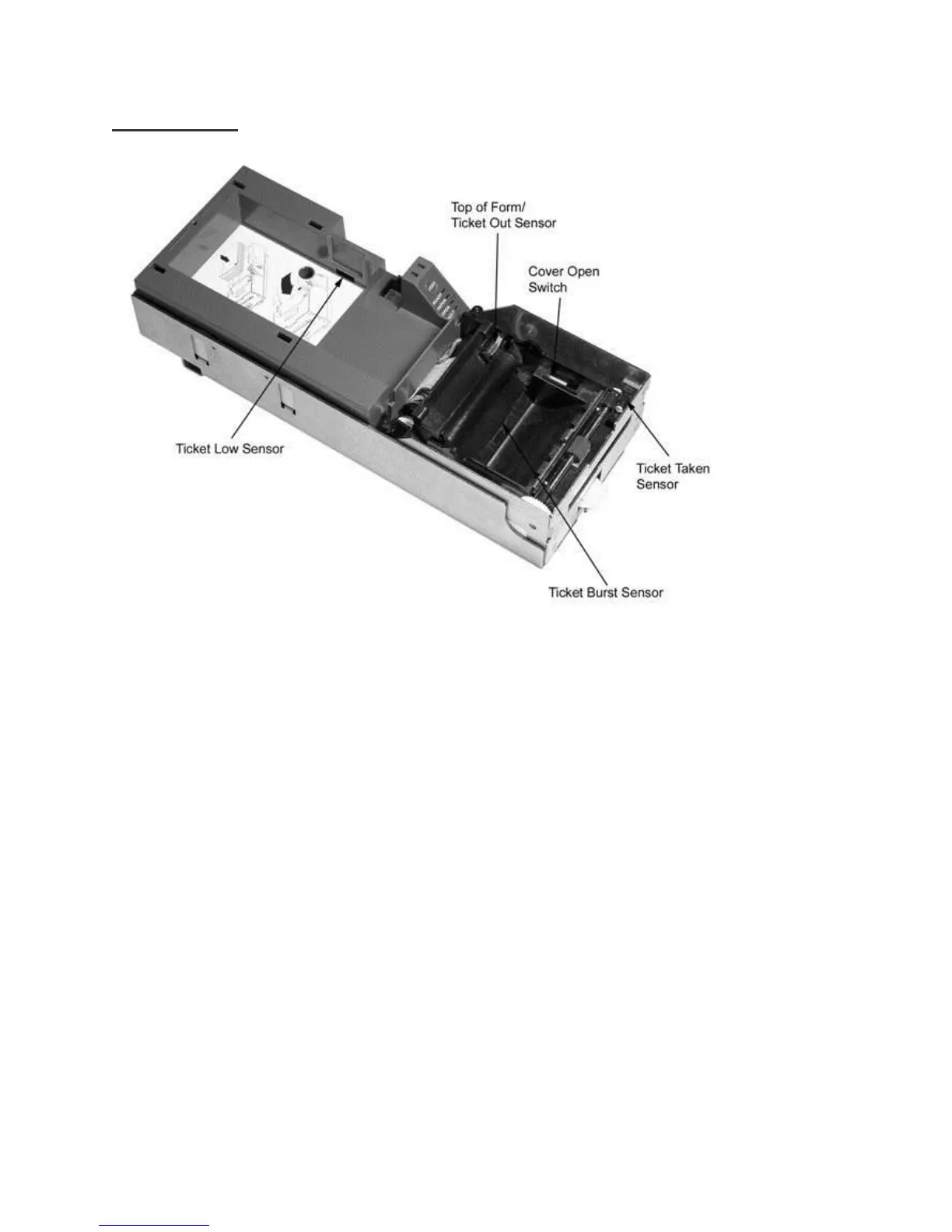
Printer Sensors
Ticket Low Sensor
Optically senses when 5-10 tickets remain in ticket supply bucket
Reports ticket low to game in status byte
Verify with Game Manufacturer how status byte is managed
Top of Form Sensor/Ticket Out Sensor
Senses and aligns to black dot on right edge of ticket
Audible Alarm
The Audible Alarm will activate upon printer reset. Other alarms are under control of the game
Chassis Open Sensor
Located on Main Controller Board
Determines if printer Inner Chassis is racked out or “open”
Ticket Burst Sensor
The Ticket Burst Sensor is used to verify that the ticket perforations have been separated during the burst
operation
Cover Open Switch
The Cover Open Switch, when activated, returns a cover open status to the host and inhibits the ticket
printing operation until the Ticket Cover is closed



 To Next Page