12
FlexCableReplacement
Installation:
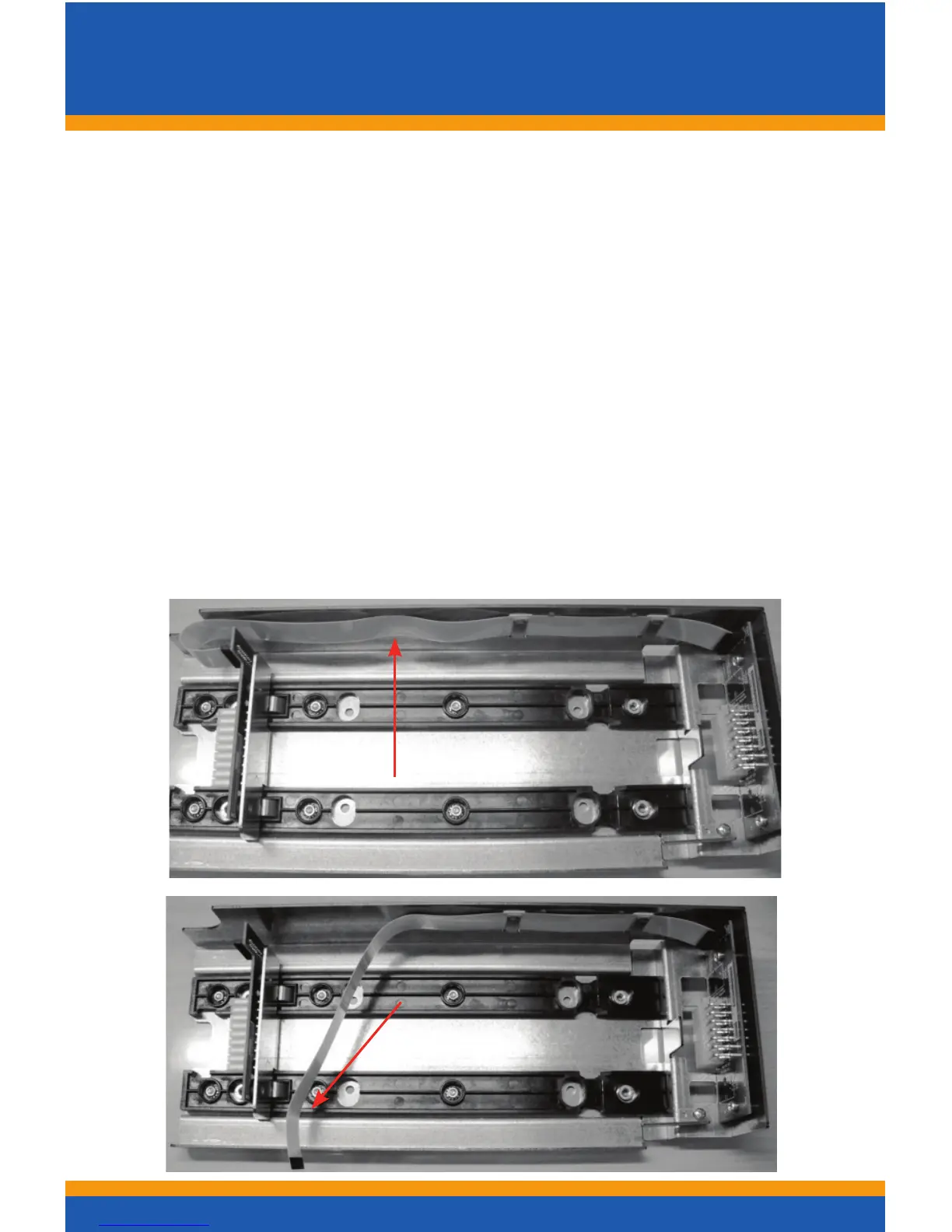
When installing the cable into the Outer Chassis, make the
rearconnectionrst.Thencreatealoopinthecablesothatit
can be easily slipped over the clip (A) closest to the connector,
then repeat for remaining clips. Release the sliding connector
board’s latches by lifting up on the two levers and push the
board towards the rear to allow enough slack to mate the front
connection. Now mate the front connection to the sliding board
andpulltheslidingboardforwarduntilitisrmlylatched.
Warning: If reinstalling a used cable, care must be taken to
insure that the cable’s bow protrudes in the direction as shown
ingure2andwheninstalled,itshouldlooklike(C).
Description: TRANSACT Part Number:
Flex Cable 98-06499L
AB
C



 To Next Page