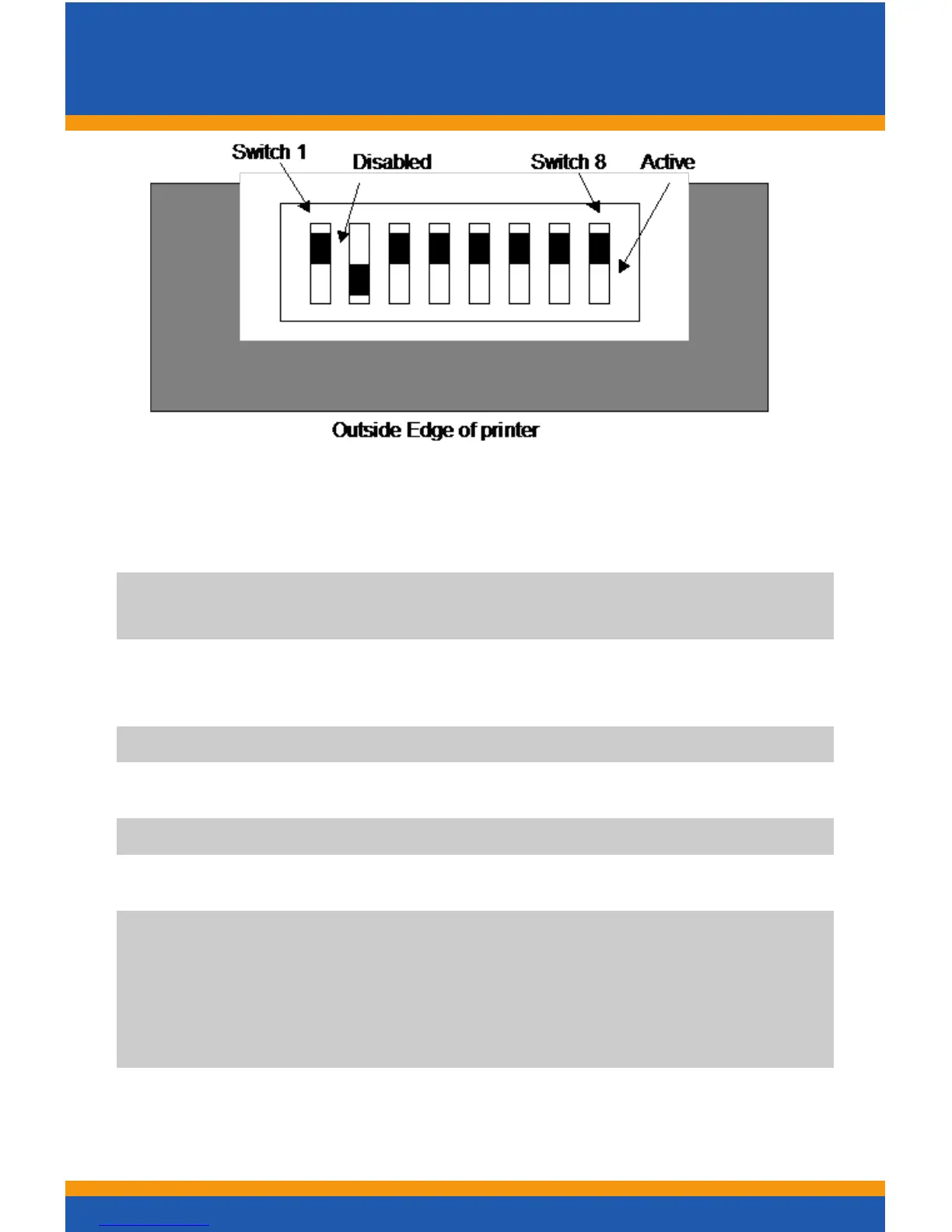
Dip Switch Settings
5
Switch 1 is the furthest to the rear of the printer. The Active
position is toward the outside edge of the printer.
SW-1 Reserved and must be in the Disabled position. If
activated, the printer will be held in rest.
SW-2 ConguresTicketLow.TheDisabledposition
prevents ticket low from being detected.
SW-3 Reserved
SW-4 Reserved
SW-5 Reserved
SW-6 Reserved
SW-7 Activates the Smart Suite features. Must be active to
use the status features of the Bench Test utility.
Must be active on Bally Alpha platforms with 3.17OS
or greater or if you receive constant “Printer COMM
Error”.
SW-8 Activates 2-color operation (color ticket media
required)



 To Next Page