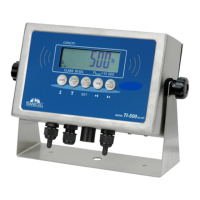
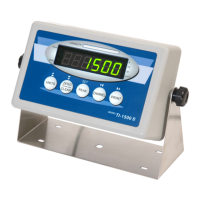
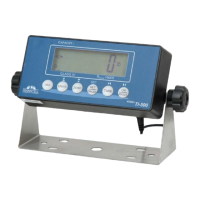
Need help?
Do you have a question about the Transcell Technology TI-500 and is the answer not in the manual?
Details the enclosure type and overview of the main circuit board.
Explains the indicator's setup menus, the Setup ('F') menu, and the User ('A') menu.
Details how to enter and navigate the indicator's Setup menu.
Describes how to enter and navigate the indicator's User menu.
Provides detailed descriptions of the selections available in the Setup Menu Chart.
Provides detailed descriptions of the selections available in the User Menu Chart.
Explains the calibration process using F16 (Zero) and F17 (Span) in the Setup Menu.
Details the procedure for performing zero calibration on the indicator.
Details the procedure for performing span calibration on the indicator.
Describes the 6-digit LCD display and its annunciators.
Details the function keys and their layout on the indicator's keyboard.
Lists the analog input, resolution, and calibration specifications for the indicator.
Details the microcomputer, program memory, and filtering specifications.
Specifies the serial port capabilities, including baud rates and data formats.
Describes the display, symbols, and keyboard interface of the indicator.
Lists the power specifications, including battery and AC adapter details.
Specifies the operating and storage temperature ranges for the indicator.
Provides the overall dimensions of the indicator.
Explains the different serial port modes: Full Duplex, Print Ticket, and Simplex.
Details the Full Duplex Mode, its configuration, and data format for host communication.
Describes the Print Ticket Mode for serial printers, including format and cable diagrams.
Explains the Simplex Mode for continuous serial transmission and its data format.
Explains the relationship between Span Gain and ADC integration time for performance.
Provides steps to determine and set the initial Span Gain value based on graduations.
Details how to view internal counts during the zero calibration process.
 General
| Model | TI-500 |
|---|---|
| Accuracy Class | III |
| Display Size | 20 mm height |
| ADC Resolution | 24-bit |
| Power Supply | AC adapter |
| Communication Interface | RS-232 |
| Operating Temperature | -10°C ~ +40°C |
| Load Cell Excitation | 5V DC |

 To Next Page