8. Using the DrivePro™ App
Developed specifically for iOS and Android devices, the free download DrivePro™ App allows you to
wirelessly view real-time video footages during recording, control DrivePro™ functions and play
videos directly from your mobile devices.
8-1 Downloading and Installing the App
1. Search “DrivePro™” on your App Store or Google Play.
2. Download and install the DrivePro™ App.
Once the installation is complete, the App will be displayed on the home screen of your device.
Before using the App, please refer to the DrivePro™ instructions.
8-2 Connecting to the DrivePro™
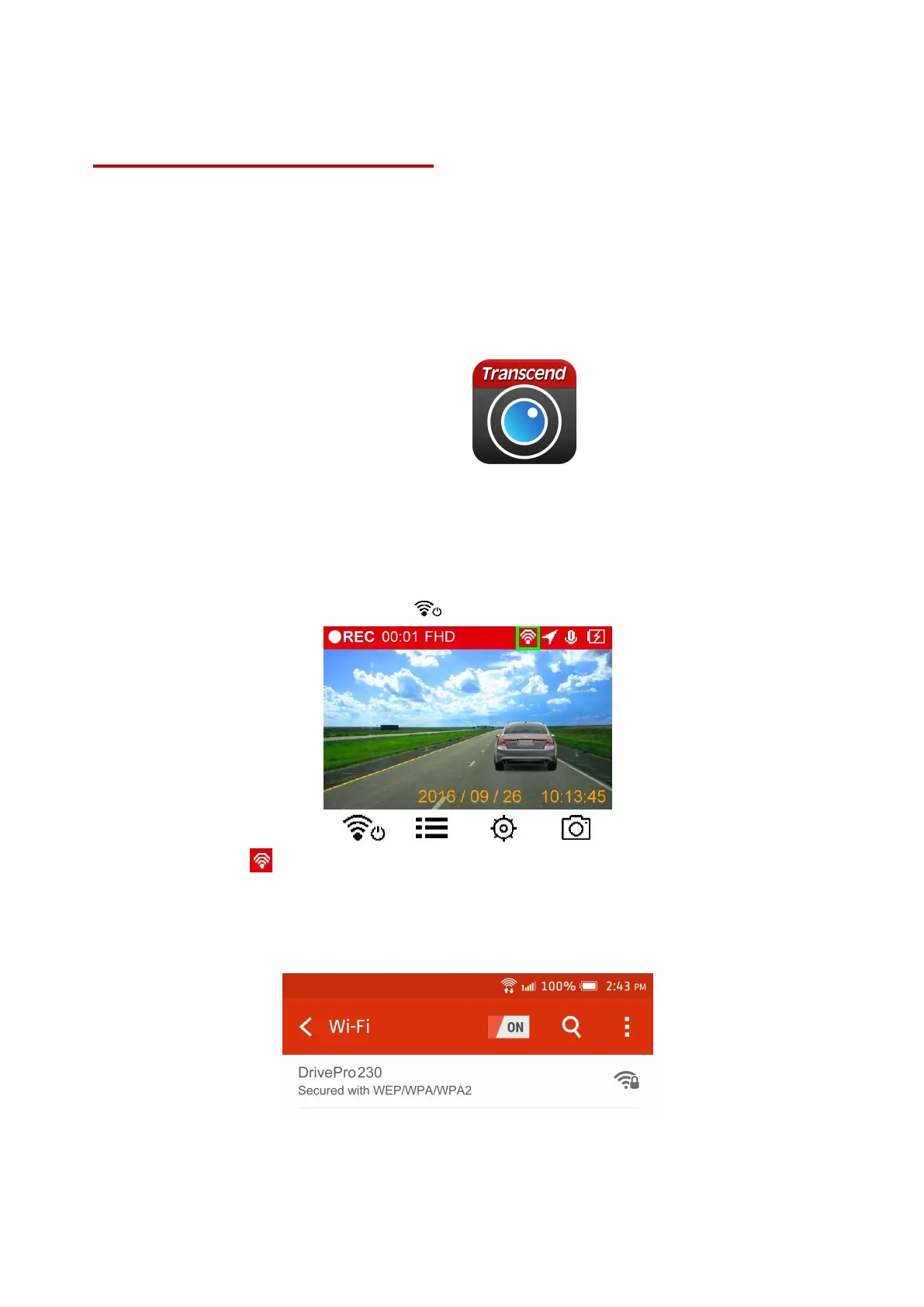
1. During video recording, press the button to turn on the Wi-Fi function.
2. When the icon is displayed, you can connect your mobile device to the DrivePro™.
3. After turning on the Wi-Fi, please wait for a few seconds for the network to appear.
4. Tap Settings > Wi-Fi from your mobile device.
5. Select the DrivePro™230 Wi-Fi link (default password is 12345678)
6. Tap the DrivePro™230 icon on the home screen of your mobile device to use the App.















 To Next Page