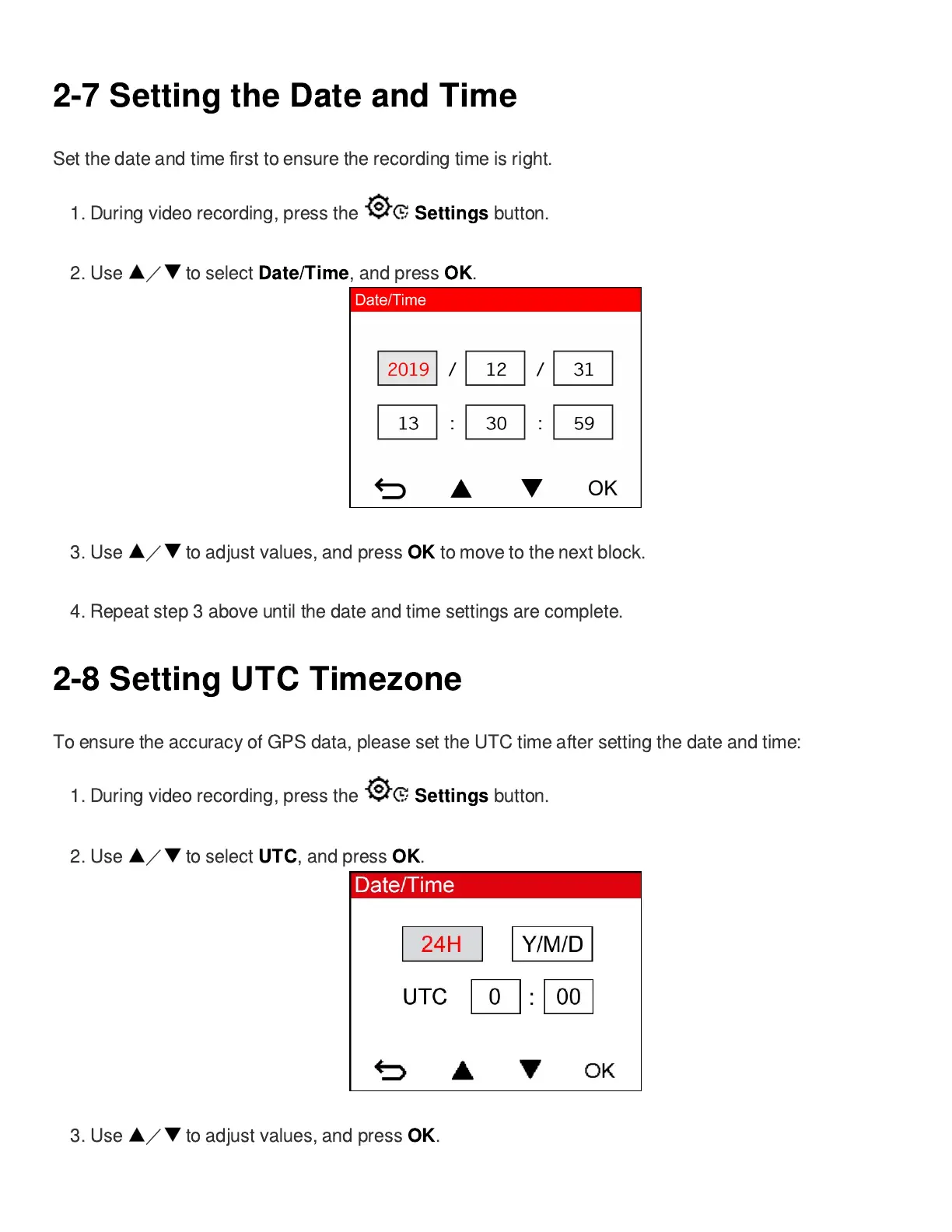
2-7 Setting the Date and Time
Set the date and time
fi
rst to ensure the recording time is right.
1.
During video recording, press the
Settings
button.
2. Use
/
to select
Date/Time
, and press
OK
.
3. Use
/
to adjust values, and press
OK
to move to the next block.
4. Repeat step 3 above until the date and time settings are complete.
2-8 Setting UTC Timezone
To ensure the accuracy of GPS data, please set the UTC time after setting the date and time:
1.
During video recording, press the
Settings
button.
2. Use
/
to select
UTC
, and press
OK
.
3. Use
/
to adjust values, and press
OK
.









 To Next Page