VII. k - SETTING THE DATE (continued):
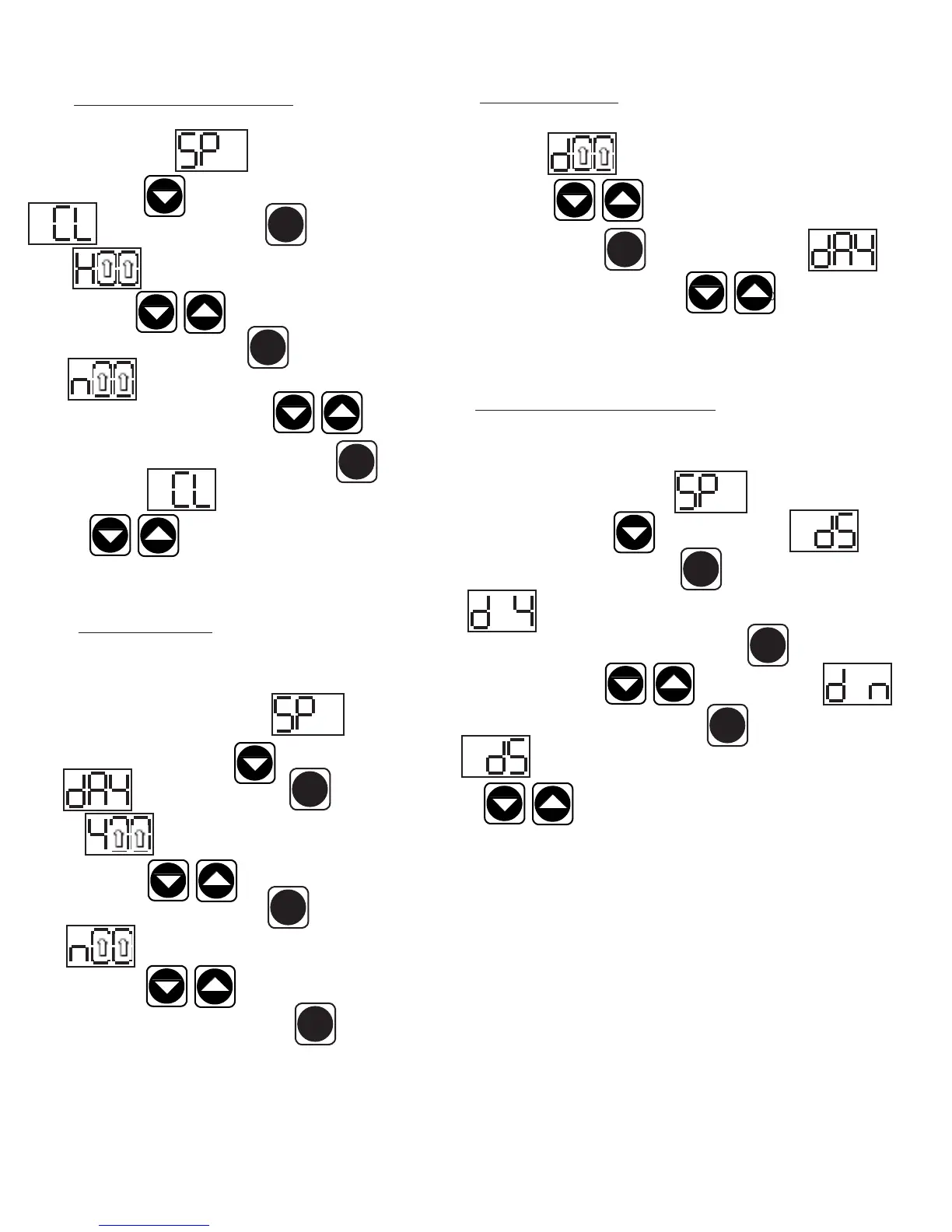
The display will show (day). The right two numbers will be ashing.
Press the arrow keys to set the day. When the correct day is
displayed, press the set button . The display will then read
Date. You can use the up or down arrow keys to scroll to the next
parameter, or wait 30 seconds for the control to return to normal operation.
VII. l - SETTING DAYLIGHT SAVINGS TIME:
This parameter is preset at the factory to automatically adjust the 24-hour clock
for Daylight Savings Time. Follow the instructions to enter the customer access
code on page 7. When the control displays Thermostat Set
Point, press the down arrow key until the display reads
Daylight Savings Time. Press the set button . The display will
show Daylight Savings Time (Yes, automatically adjust for
Daylight Savings Time). For “YES” press the set button , for “NO”
press the up or down arrow key . The display will read
Daylight Savings Time (no). Press the set button . The display will
read Daylight Savings Time. You can press the up or down ar-
row keys to scroll to the next parameter, or wait 30 seconds
for the control to return to normal operation.
VII. j - SETTING THE 24-HOUR CLOCK (continued):
Follow the instructions to enter the customer access code on page 7.
When the control displays Thermostat Set Point, press
the down arrow key until the control display reads
Clock. Press the set button . The display will
show Hours. The right two numbers will be flashing.
Use the arrow keys to set the hour. When the correct
hour is displayed, press the set button . The display will sh
ow Minutes. The right two numbers will be flash-
ing. Use the arrow keys to set the minutes . When
the correct minutes are displayed, press the set button . The
display will then read Clock. You can use the up or down
arrow keys to scroll to the next parameter, or wait 30
seconds for the control to return to normal operation.
VII. k - SETTING THE DATE:
The date must be set in order for the data storage memory to cor-
rectly log events. Follow the instructions to enter the customer access
code on page 7. When the control displays Thermostat
Set Point, press the down arrow key until the control display
reads Date. Press the set button . The display
will show (year). The right two numbers will be ashing.
Press the arrow keys to set the year. When the cor-
rect year is displayed, press the set button . The display will
show (month). The right two numbers will be ashing.
Use the arrow keys to set the month. When the
correct month is displayed, press the set button .
VII. PATENTED MICROPROCESSOR CONTROL (continued)
-9-
SET
SET
SET
SET
SET
SET
SET
SET
SET
SET



 To Next Page