VII. o - ADJUSTING THE ROOM TEMPERATURE OFFSET:
The room temperature offset parameter allows a service technician or end
user the ability to have the display show a temperature that is within three
degrees of the actual temperature being read by the cabinet air sensor.
This allows for continuity of reading between different temperature read-
ing devices. (i.e.: thermistor vs. thermocouple vs. handheld thermometer)
This parameter is preset at the factory to “0” or no offset.
Follow the instructions to enter the customer access code on page 7.
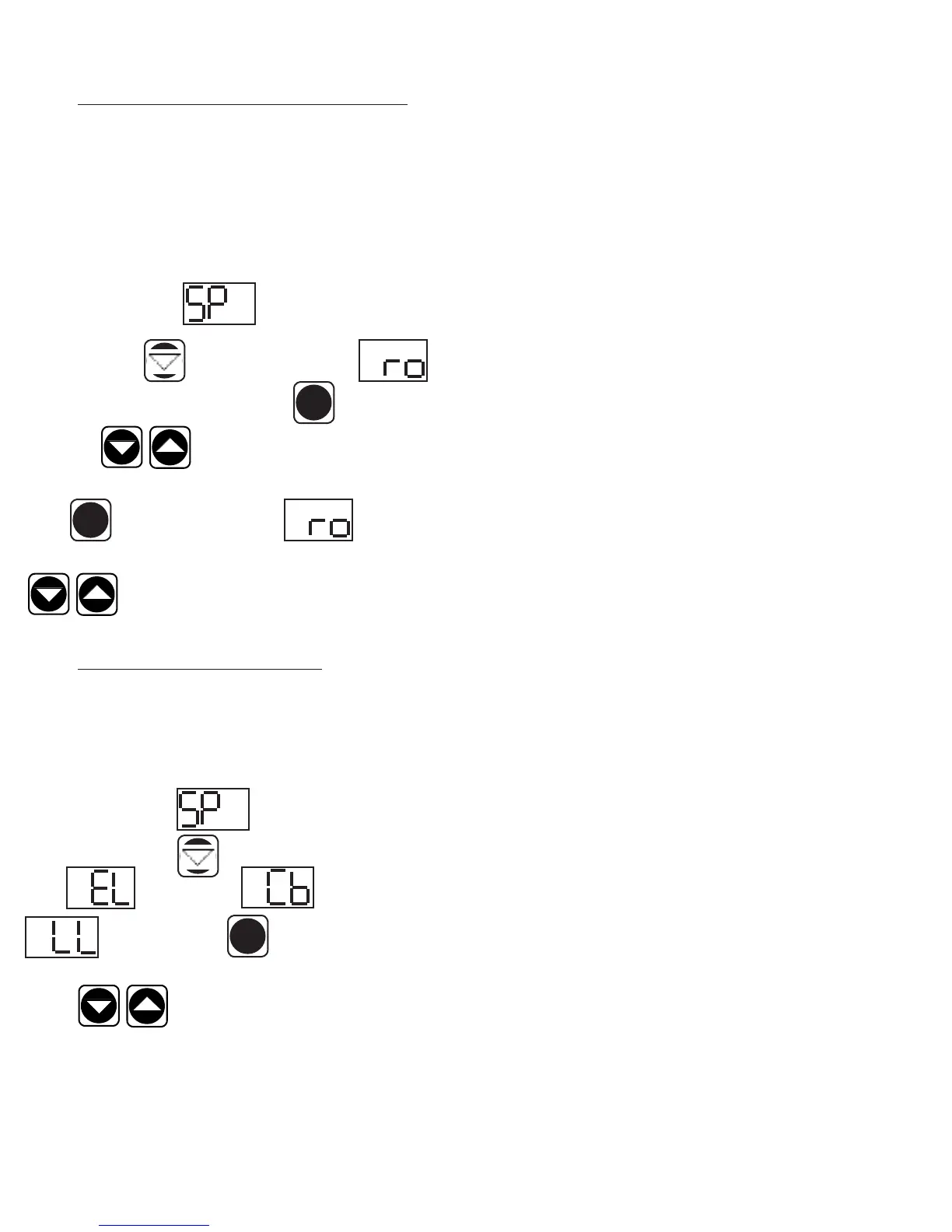
When the control displays Thermostat Set Point, press
the down arrow key until the control display reads
Room Temperature Offset. Press the set button . Use the
arrow keys to adjust the offset to your desired
setting. When the display shows the offset you want press the set
button . The display will then read Room
Temperature Offset. You can use the up or down arrow keys
to scroll to the next parameter, or wait 30 sec-
onds for the control to return to normal operation.
VII. p - VIEWING SENSOR TEMPERATURES:
These parameters allow a service technician or customer to view the
temperature of all sensors within the unit. The temperatures cannot
be adjusted.
Follow the instructions to enter the customer access code on page 7.
When the control displays T h e r m o s t a t Set P o i n t ,
press the down arrow key until the display reads Evaporator
Coil or Cabinet Air or Liquid Line
Press the SET button to view the current sensor
value. Press the SET button when done. Press the UP or DOWN arrow
keys to scroll through the parameters, or wait 30
seconds for the control to return to normal operation.
VII. PATENTED MICROPROCESSOR CONTROL (continued)
-11-
SET
SET
SET



 To Next Page