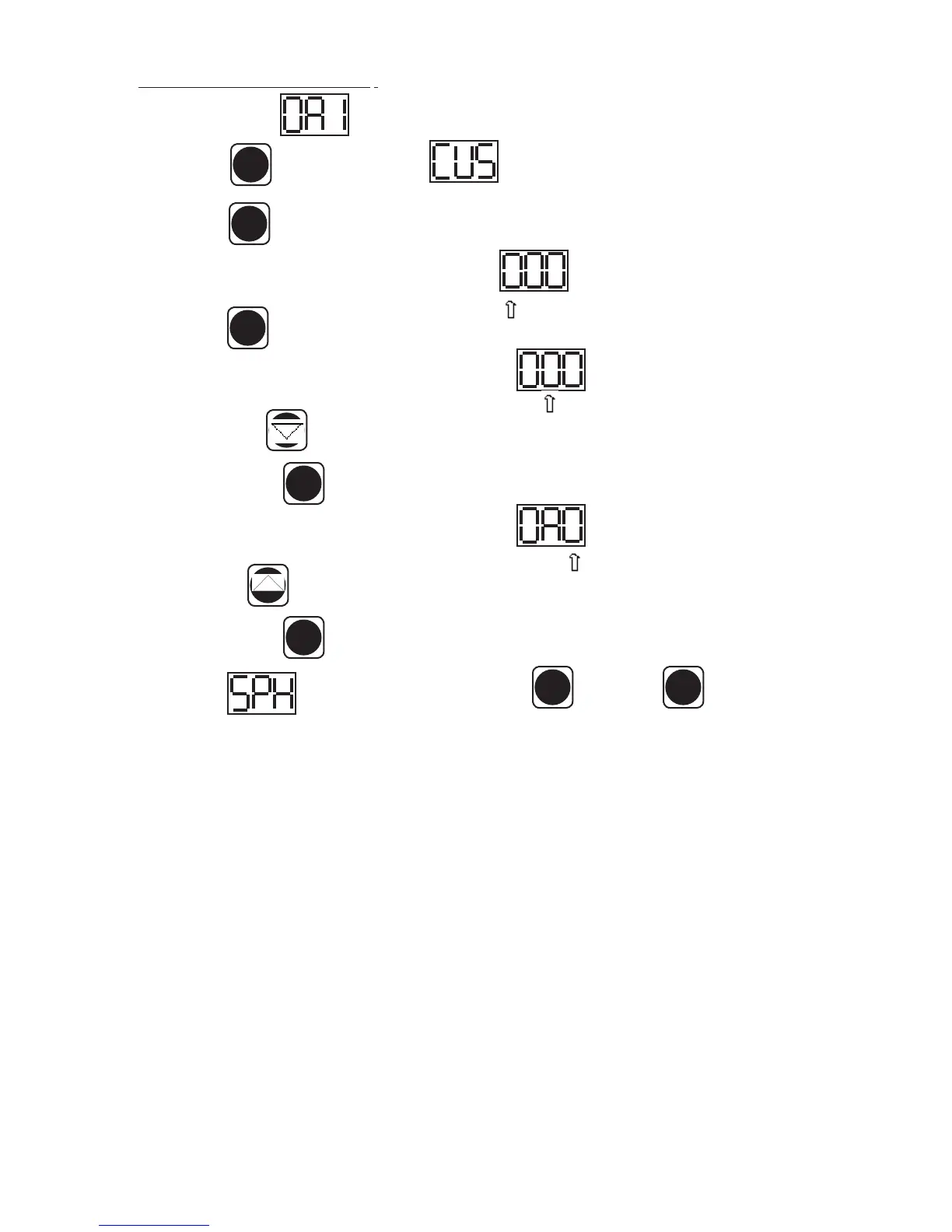
VII. e - ENTER THE SERVICE ACCESS:
Use the security code 0, A, 1 and the following instructions:
Press the set button . The display will read Service Access.
Press the set button .
The display will show three zeros with the left zero ashing
Press the set button .
The display will show three zeros with the center zero ashing
Press the down arrow key to sequence through F, E, d, C, b, A, 9, 8, 7,…etc.
When you reach A press set .
The display will show zero, A, zero with the right zero ashing .
Press the up arrow key to sequence through 1, 2, 3, 4, 5, 6, 7, 8, 9, A, b,…etc.
When you reach 1 press set .
The display will read Thermostat Set Point High. Press to view and again to exit.
You are now in the SERVICE PARAMETERS.
VII. MICROPROCESSOR CONTROL (continued)
-8-
SET
SET
SET
SET
SET
SET SET


 To Next Page