18
EN
minipool Phantom PR1
First run
3
PARTIAL MINIPOOL EMPTY TEST
The minipool can be drained at any time, without people inside the minipool.
Perform a brief test to verify that the water is correctly drained.
To activate emptying:
A
Press the "OK" key for at least three seconds.
B
this provides access to a submenu page.
C
Press the "EMPTY"
7
key.
During emptying of the bathtub, the only enabled function is chromatherapy.
To stop the drain test, press the "EMPTY" key again.
Once the test is nished, rell by pressing the
key.
More precisely:
• If an automatic function is active when the SILENCE
function is engaged, it is deactivated immediately
(except for antifreeze).
• If a user function (whirlpool or blower) is active when
the SILENCE function starts, the SILENCE function
remains suspended and will become active 10 min-
utes after the user function has been switched off.
• If a user function is activated by the user while the
SILENCE function is active, the latter is suspended
(and heating and ltering is re-enabled) and will be
reactivated 10 minutes after the last user function has
been switched off.
• If the temperature set point is changed during the
SILENCE function, the new value will become valid
at the end of the function.
• The CHROMATHERAPY function
5
is not affected
by the SILENCE function.
• The maximum duration of the SILENCE function is
20 hours (even non-consecutive) in order to maintain
the water temperature at the set value and to ensure
ltering.
How to set the SILENCE function:
A
Press the "OK" key
6
for at least three seconds.
B
this provides access to a submenu page.
C
Use the
+
and
-
keys until the “SILENCE”
10
icon
is illuminated and press the “OK” key
6
to activate
it.
D
With the
+
or
-
keys move to the hour boxes.
E
Press the "OK" key to enable the "SILENCE" mode
schedule:
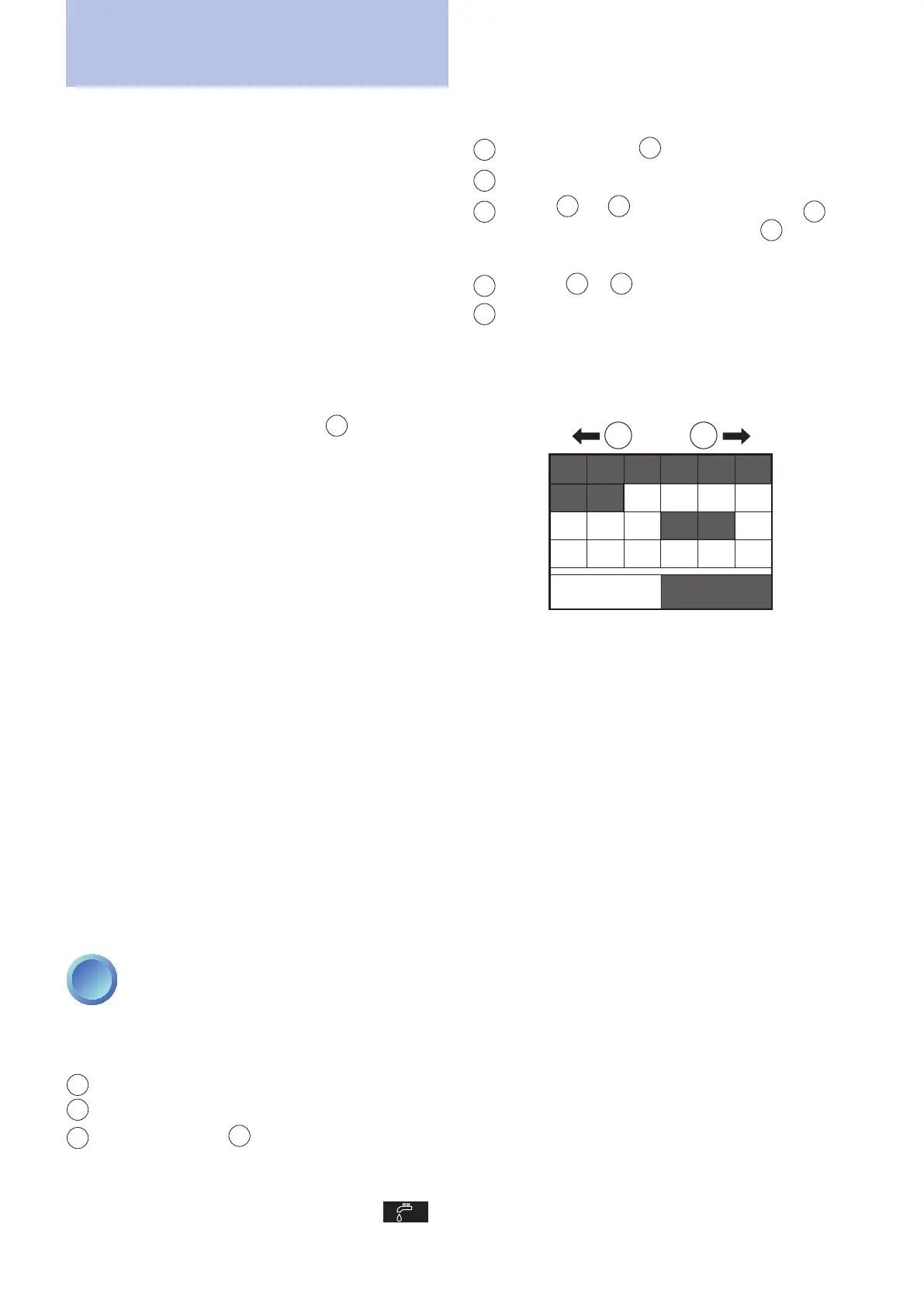
White box: silence mode disabled
Grey box: silence mode enabled (recirculation inac-
tive)
EXAMPLE
Hours of silence highlighted in the table:
0123
678910 11
12 13 14 15 16 17
18 19 20
DISABLE ENABLE
21 22 23
+-
After six seconds during which no key is touched the
conguration is memorised and the water temperature
is displayed again.



 To Next Page